
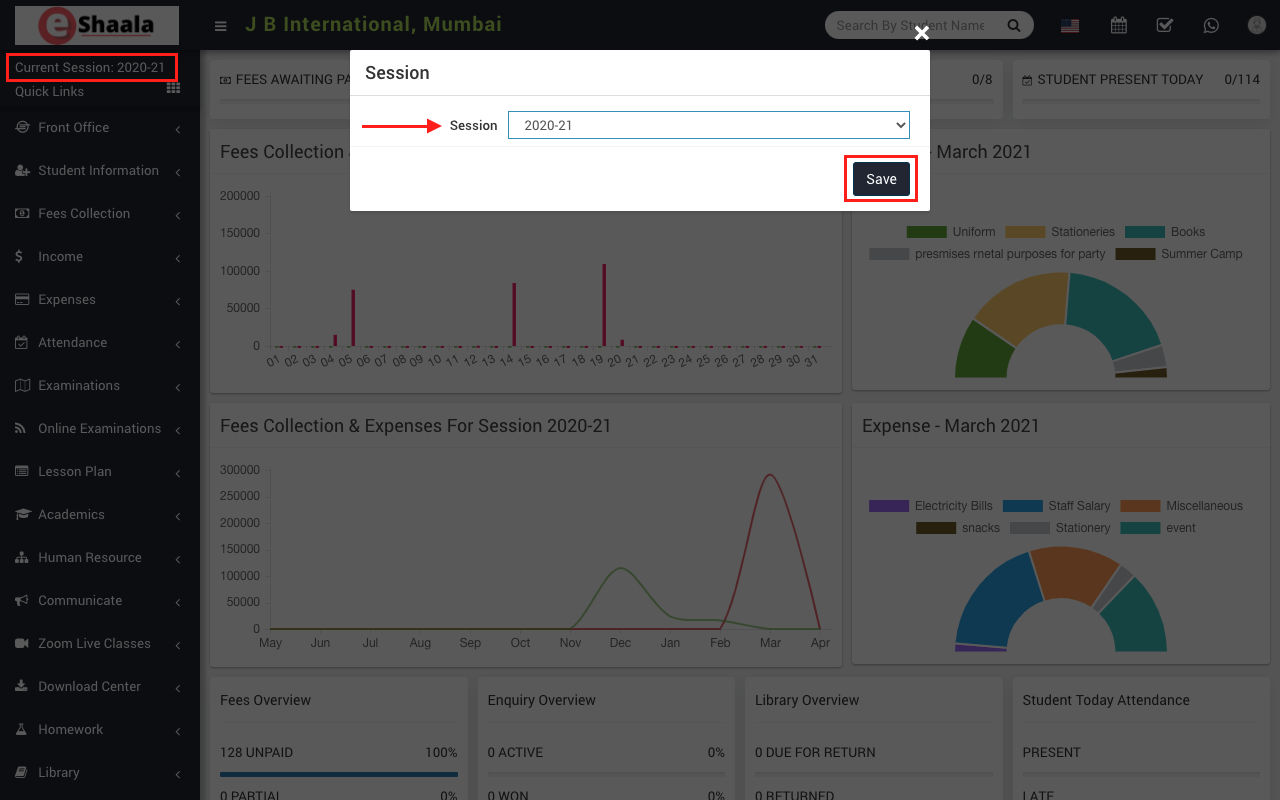
Before viewing any information, or making an entry, be sure to check the current session once, the system manages all of the information about your institution as per the current session.
If you want to see data other than the current session, click on the current session link > the session modal box will open, select the session you want to see or enter data and click on the Save button. Now your system has migrated to your selected session.
NOTE: Selection of the current session is very important; If you have not selected it properly, you may either enter or view incorrect information for that session
 English
 Hindi
Hindi Marathi