
To add fees discount, go to Fees Collection > Fees Discount then enter Name, Discount Code, Amount and Description and then click on Save button. You can view this added record in the Fees Discount List on right side of the page.
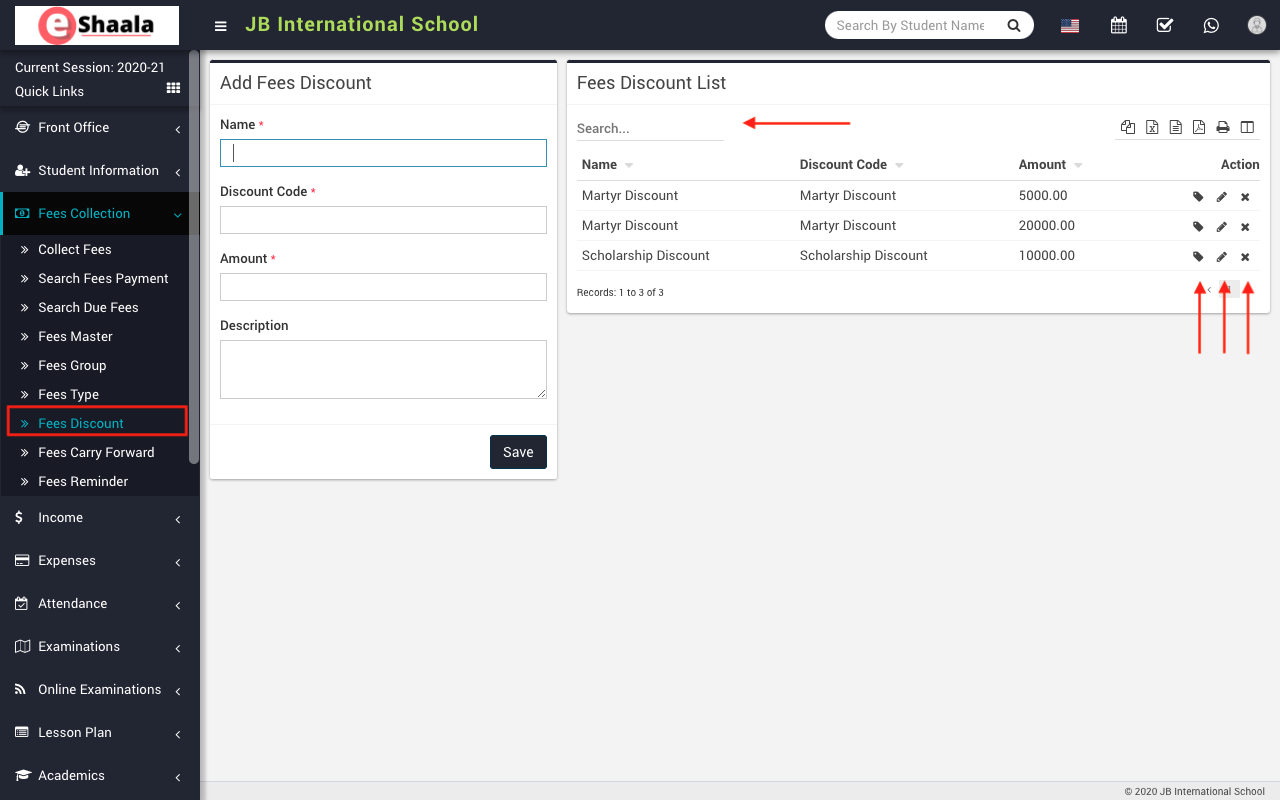
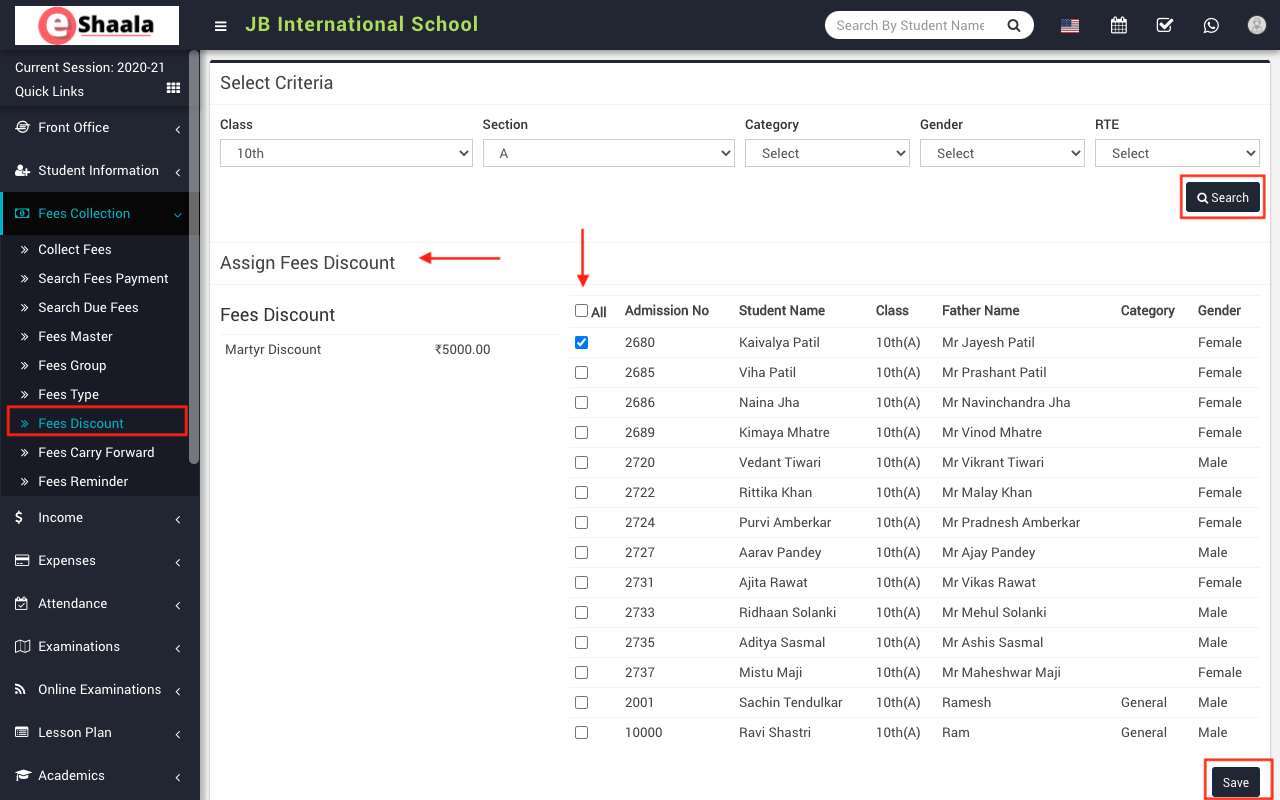
To assign/view student click on Assign/View student icon present at Action column in the fees discount list, on click of this icon it will redirect you in the Assign Fees Discount page, here select Class, Section and Category, Gender and RTE and then click on the Search button.
The list of assign fees discount will be shown at the bottom of the page. Now, select students, you want to assign fees discount and then click on the Save button.
 English
 Hindi
Hindi Marathi