
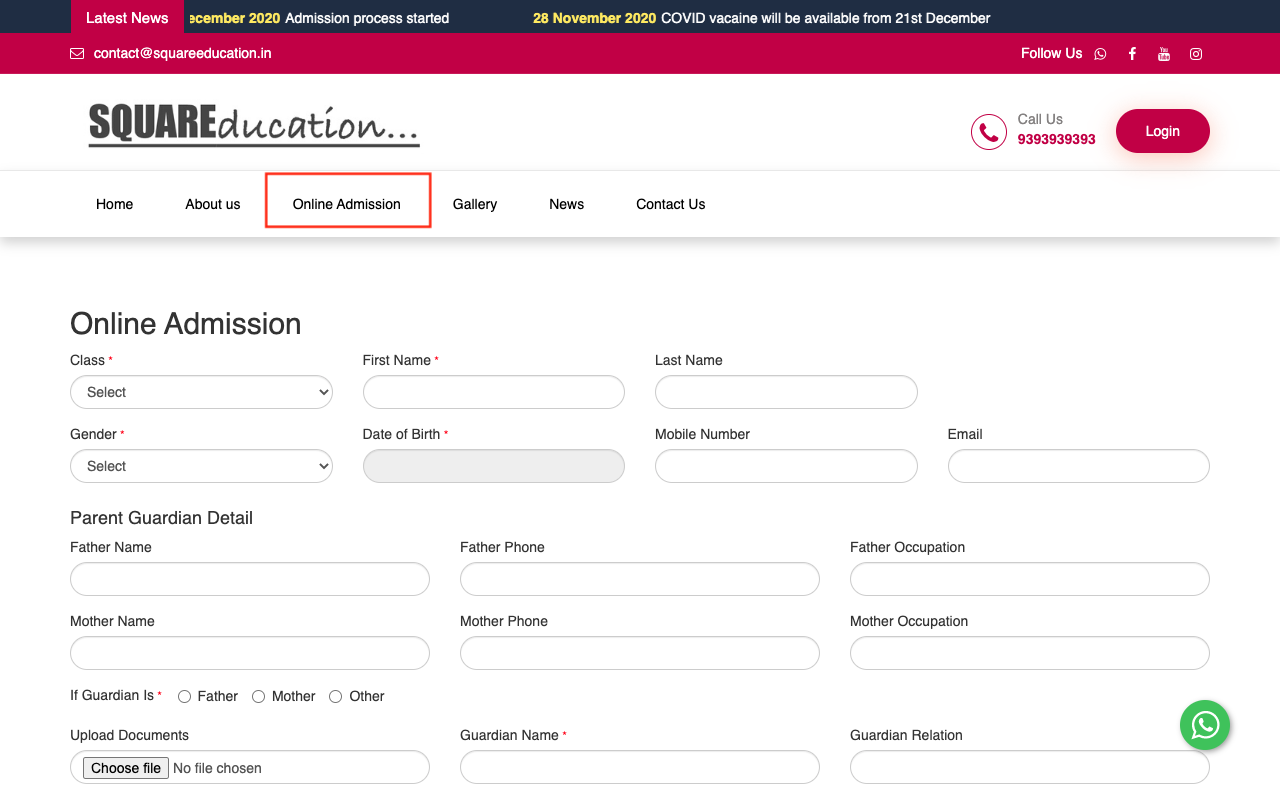
Parents will visit your school’s website and click on the online admission menu
They will fill all entries in the online admission form, select the Class, First Name, Last Name, Gender, Date of Birth, Mobile Number, Email, Parent Guardian Detail, Upload Document and then click on Save button.
You can view this added record, from Student Information > Online admission.
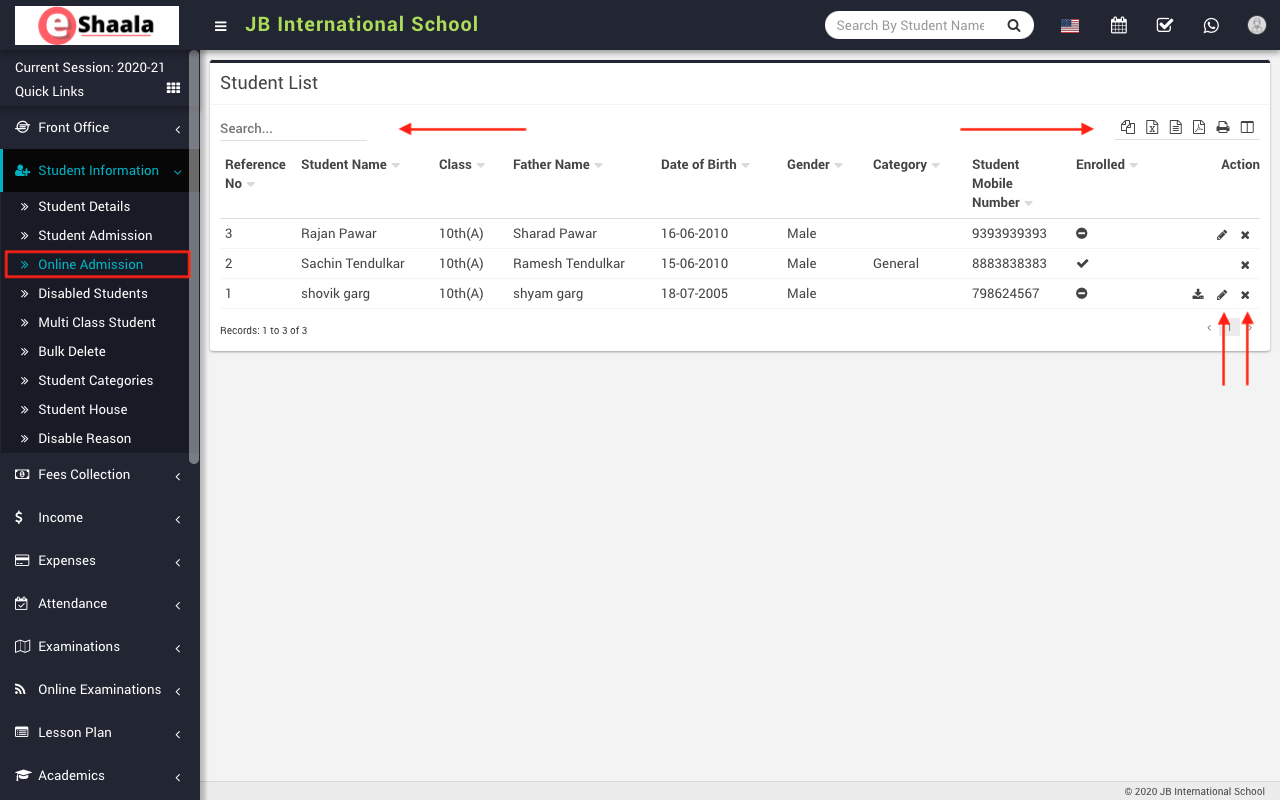
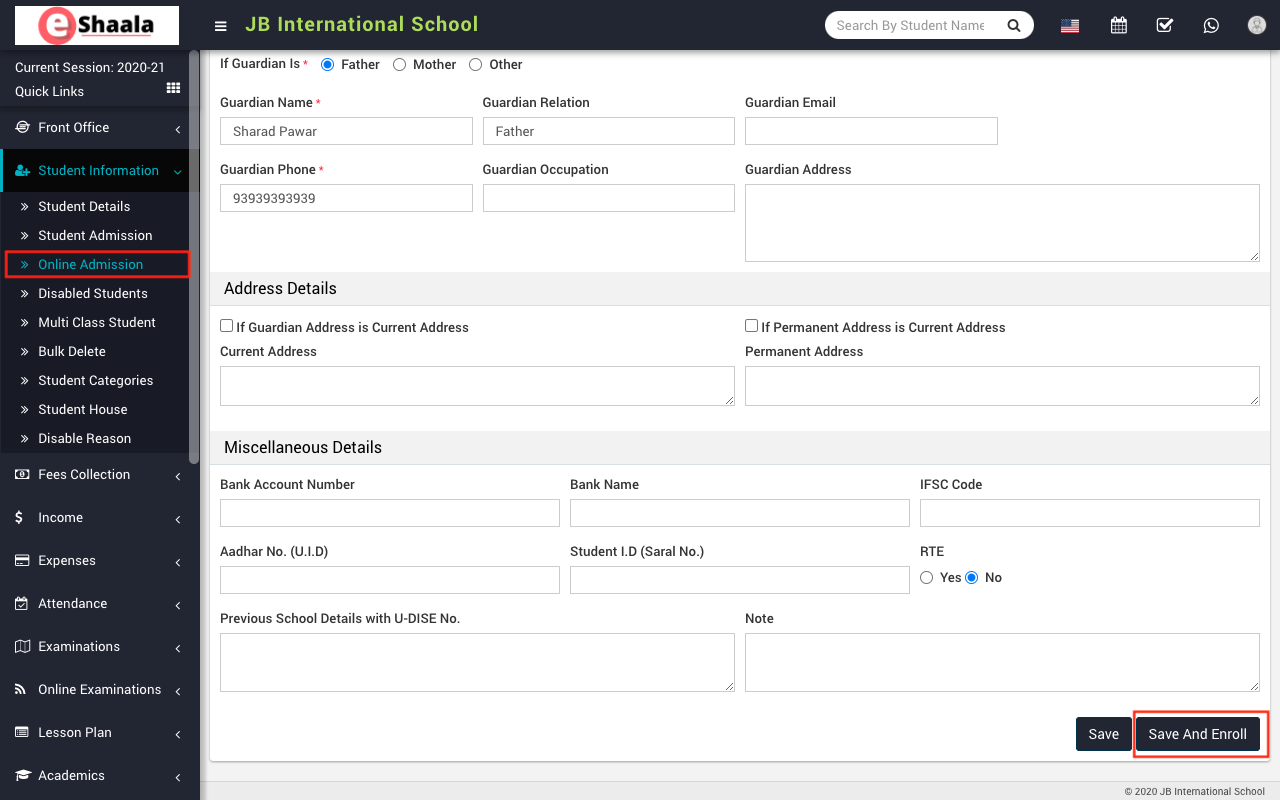
To admit/enrol student click on Edit icon present at Action column in the student list page, on click of this icon Edit Student page will be open. Here enter required details of the student then click on Save button and if you just want to save student-submitted record click on the save button but to admit/enrol student you must click on Save And Enroll button. To delete admit student click on Delete icon present in the student list page.
 English
 Hindi
Hindi Marathi