
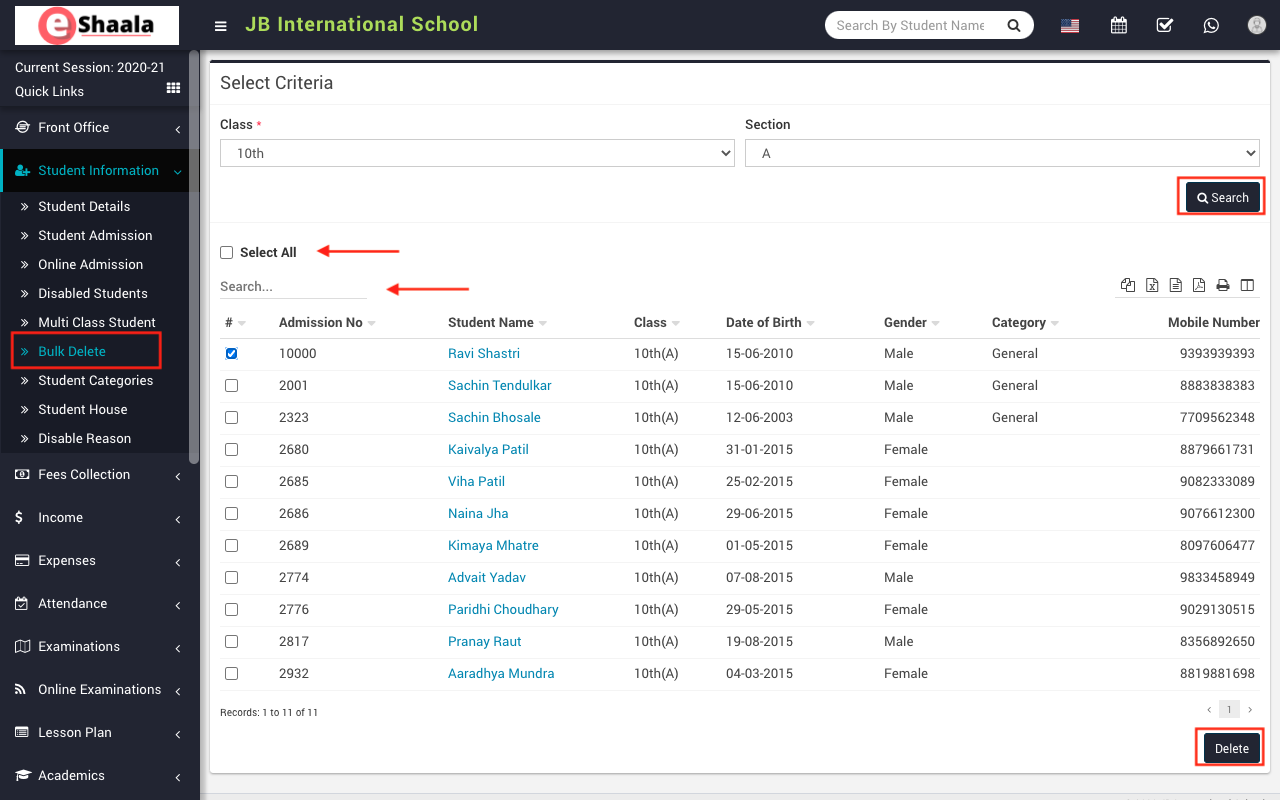
To delete one or many students, go to Student information > Bulk Delete then select Class and Section and then click on the Search button. The list of the searched student will be shown at the below of the page.
Here you can see all the student list. To delete single or multiple students select the student list and then click on the Delete button.
 English
 Hindi
Hindi Marathi