
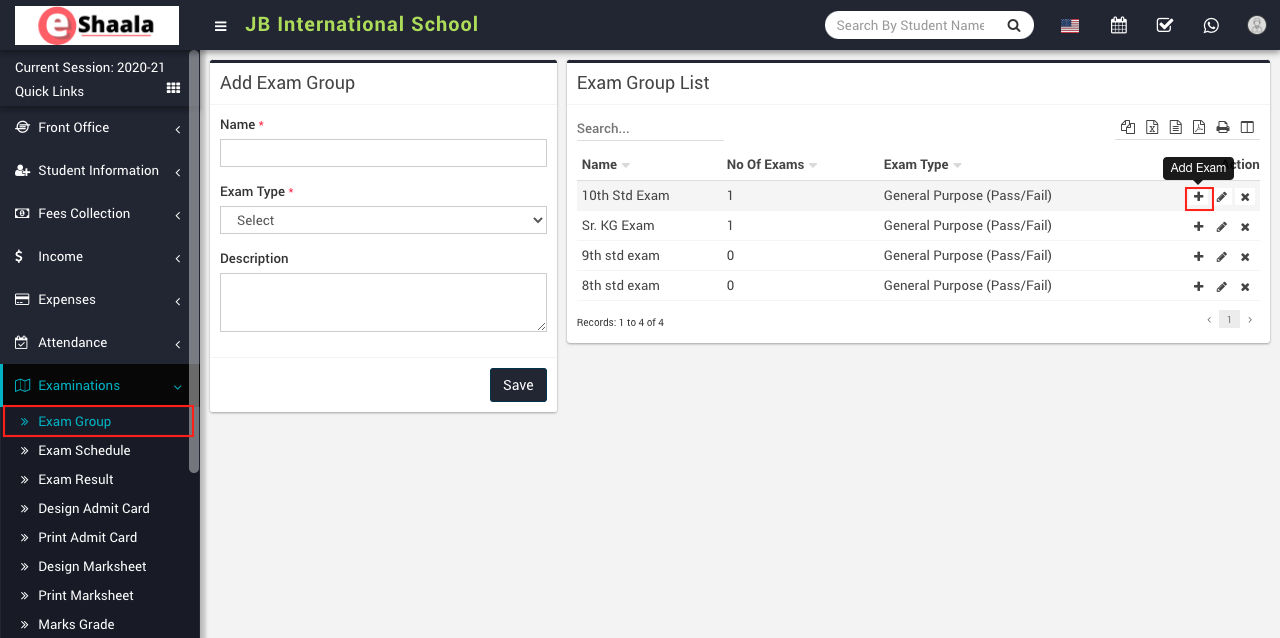
To add subject marks, go to Examination > Exam Group then click on Add icon present at Action column in the exam group list, on click of this icon exam list page will be open.
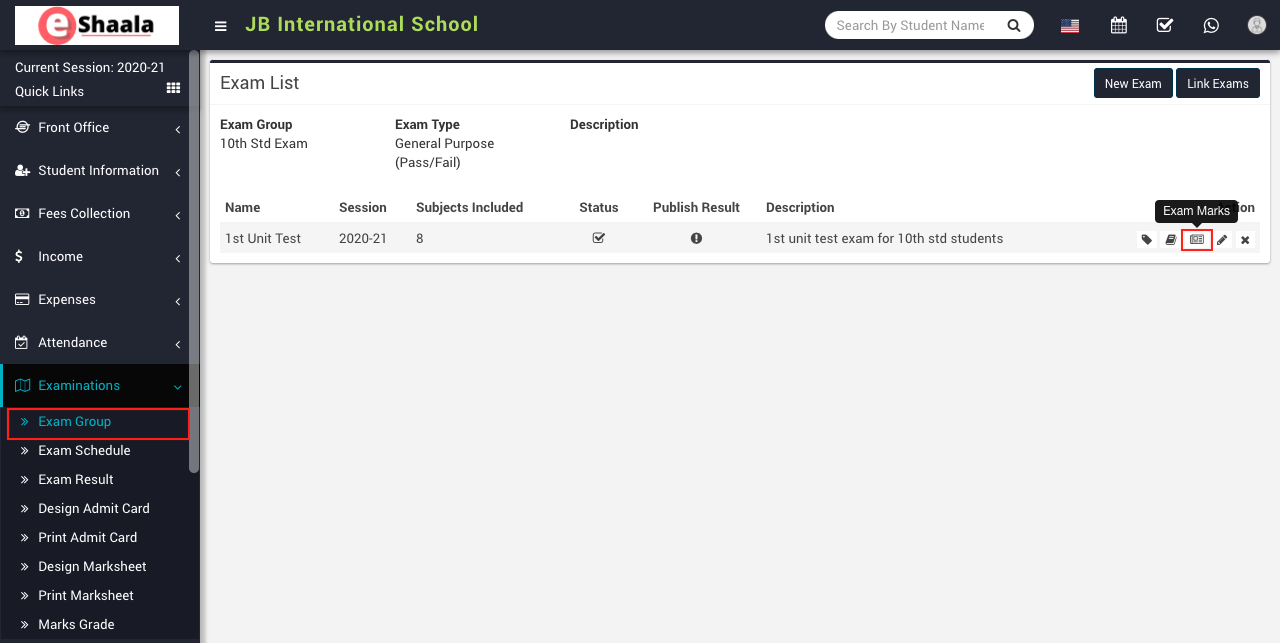
Here click on Exam Marks icon present at Action column in the exam list page, on click of this Exam Subject modal will be open.
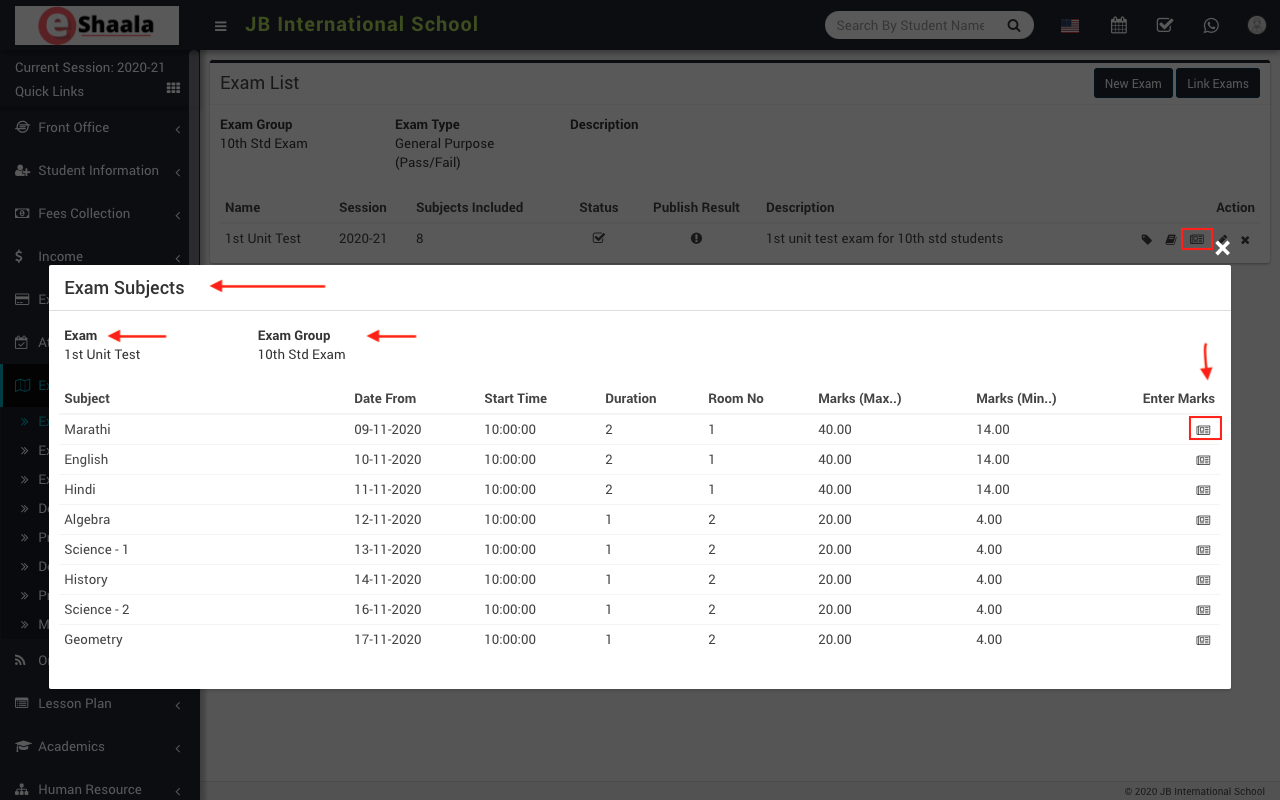
Here click on the Exam Marks icon present at Enter Marks column in the exam subjects, on click of this icon subject modal will be open.
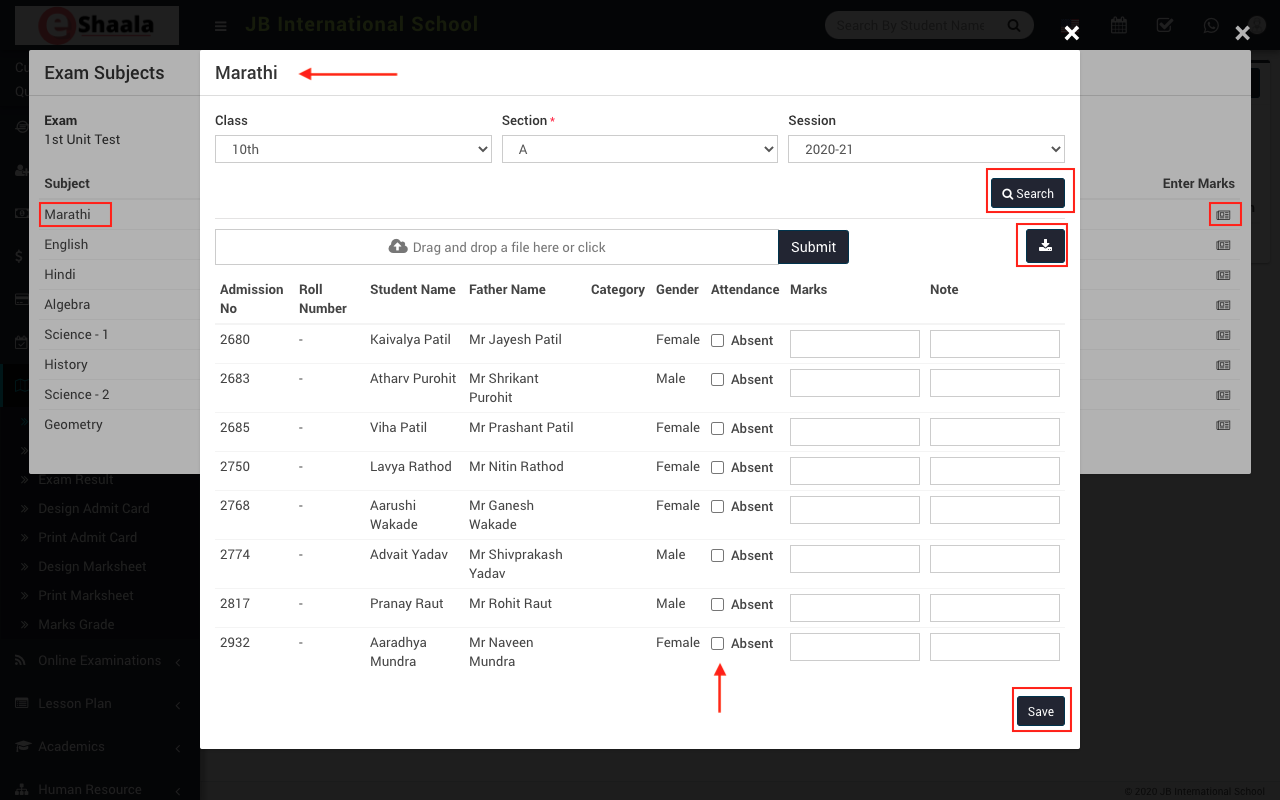
Here select the Class, Section and Session and then click on the Search button. You can also download the import file from right side clicking on Download Import File button. After importing CSV file marks will be fill in marks input box, if you want to edit and check the marks, then upload the file and then click on Submit button.
 English
 Hindi
Hindi Marathi