
To view disabled staff, go to Human Resource > Disabled Staff then select Role and then click on the Search button. You can also search any disabled staff by entering any matching Keyword in the Search By Keyword Text Box and then click on the Search button.
The list of disabled staff will be shown at the bottom of the page.
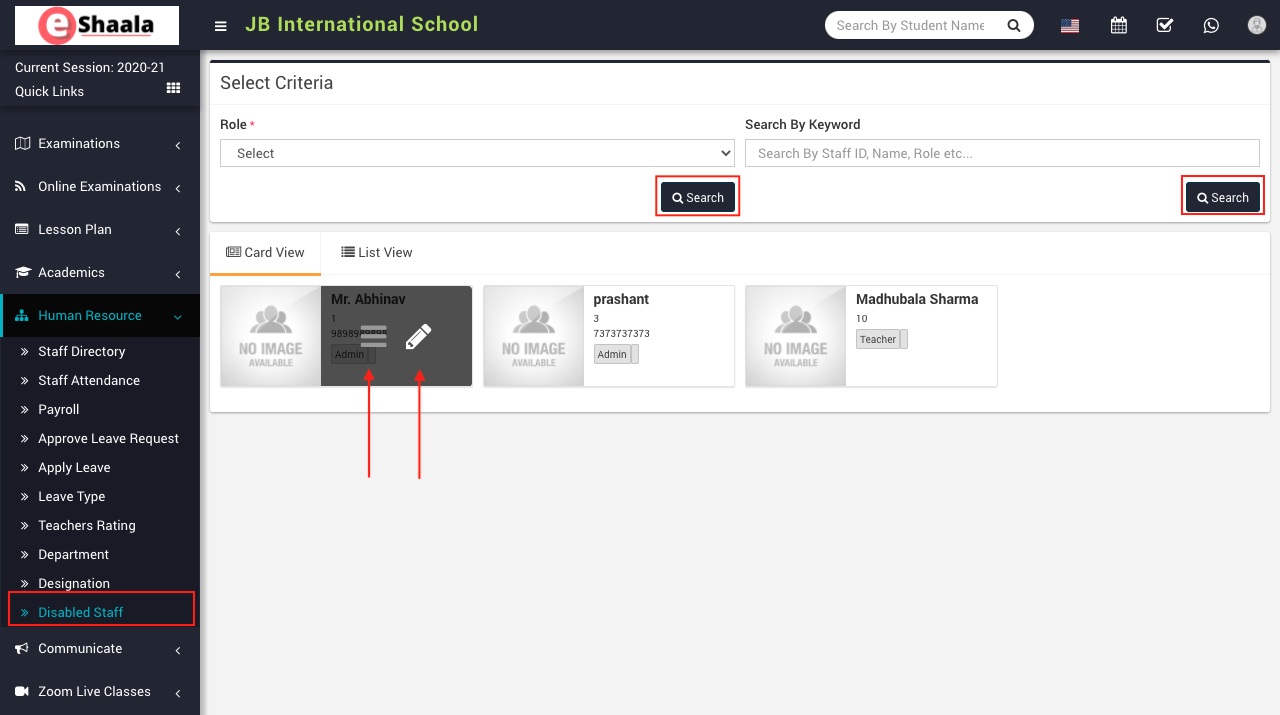
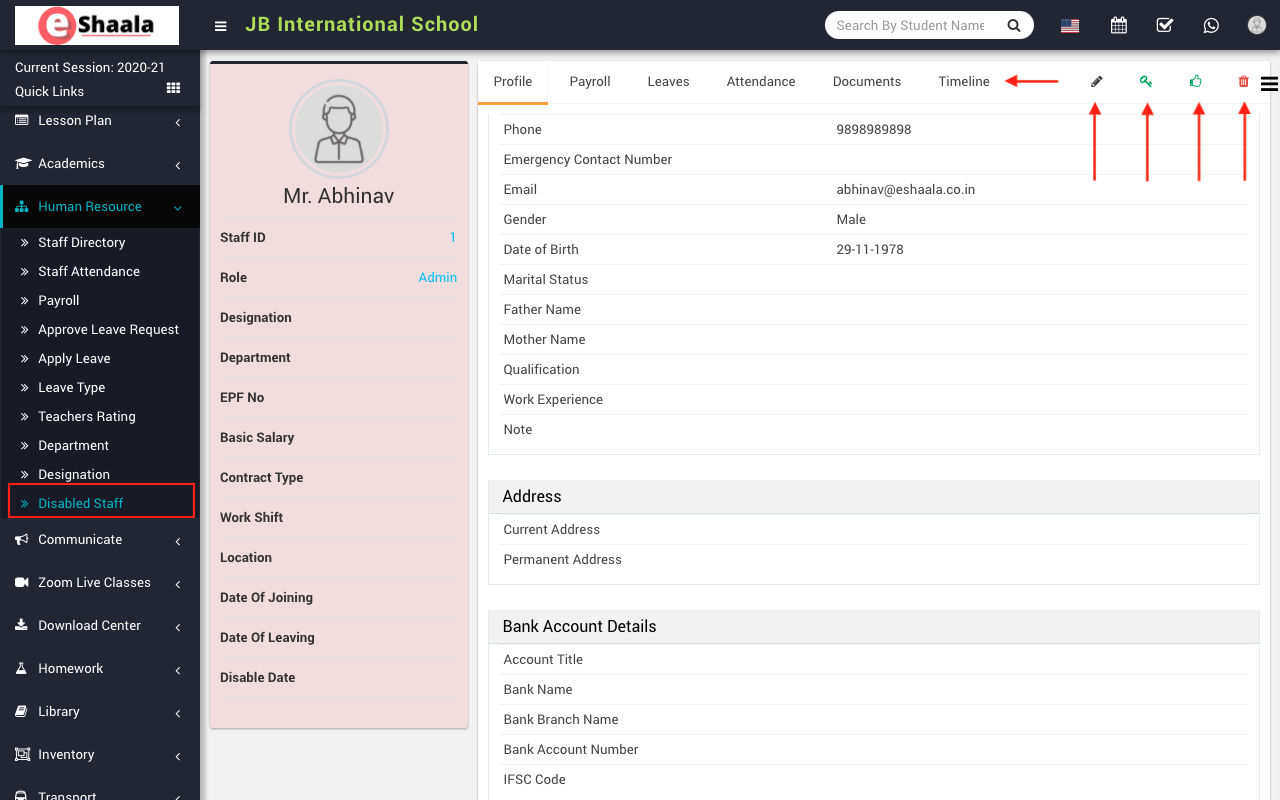
To view staff details click on Show icon present in the staff card. Here you can view the basic detail of staff like Profile, Payroll, Leaves, Attendance, Documents, Timeline.
 English
 Hindi
Hindi Marathi