
To manage notification setting, go to System settings > Notification Setting. There are 16 events like Student Admission, Exam Result, Fee Submission, Absent Attendance, Login Credential, Homework, Fees Reminder, Live Classes, Live Meetings and Forget Password where automated send SMS to the concerned person’s mobile number.
With the help of notification setting, you can manage which notifications to send in which event and select the check box and then click on the Save button.
Here we are describing that who will receive event notification(Email/SMS/Mobile App notification)-
Student Admission: Guardian
Exam Result: Guardian, Student
Fees Submission: Guardian
Absent Student: Guardian
Login Credential: Student, Guardian and Staff
Homework Created: Student, Guardian
Fees Reminder: Guardian
Forgot Password: Student, Guardian and Staff
Online examination publish exam: Student
Online examination publish result: Student
Zoom Live Meeting: Staff
Zoom Live Classes: Student, Guardian
Zoom Live Meeting Start: Staff
Zoom Live Classes Start: Student, Guardian
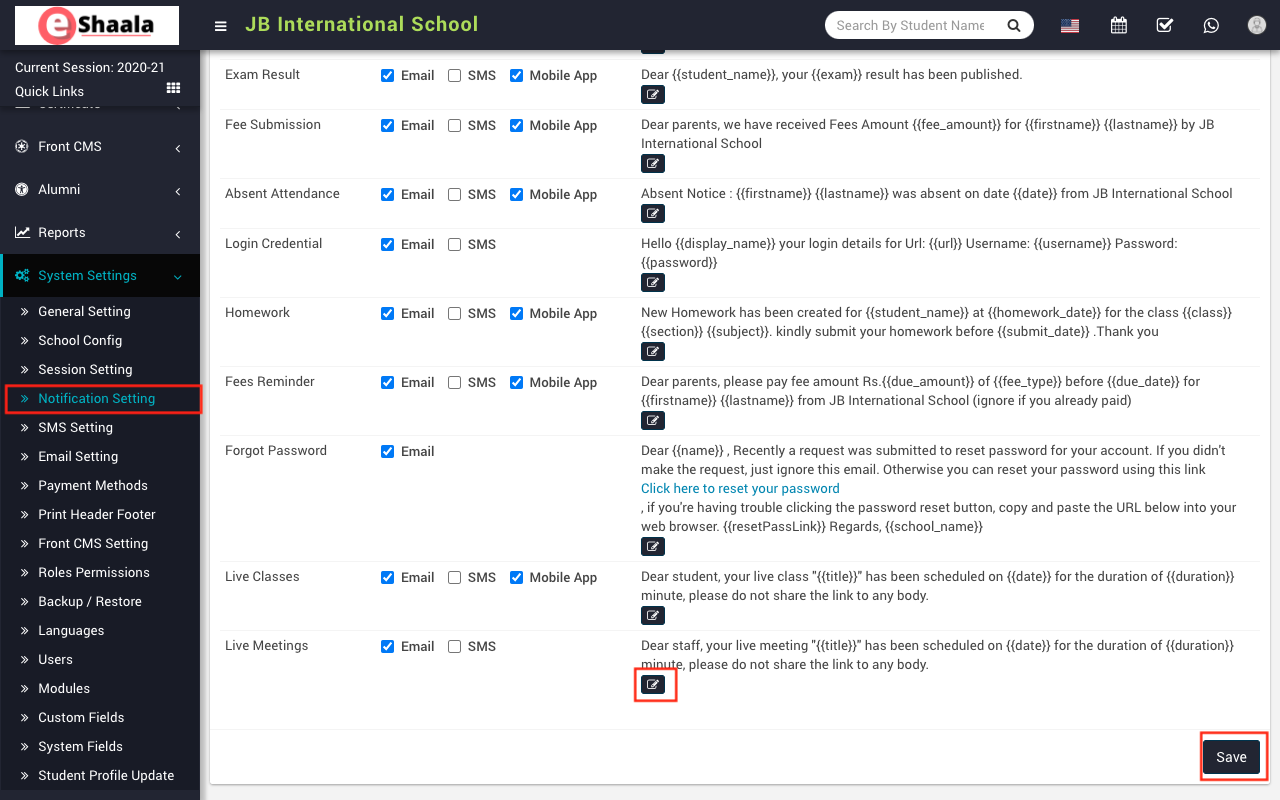
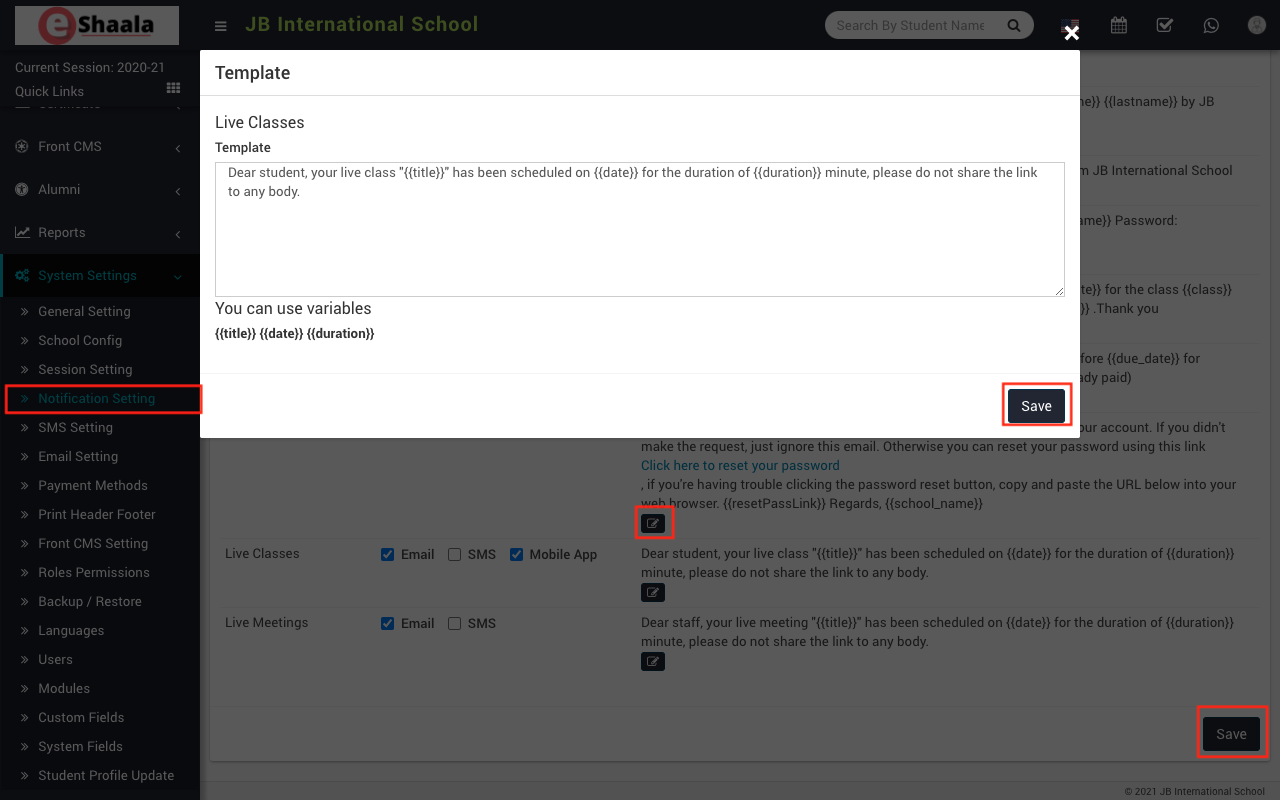
To edit the sample message click on Edit icon present in the sample message column, on click of this icon a modal will be open. Here enter Template and then click on the Save button.
 English
 Hindi
Hindi Marathi