
To manage modules, go to System Settings > Modules here you can see all Enabled modules. If you disable any module from here then it will not be visible in Admin/ student & parent app. To enable/disable, click on button present in the Action column.
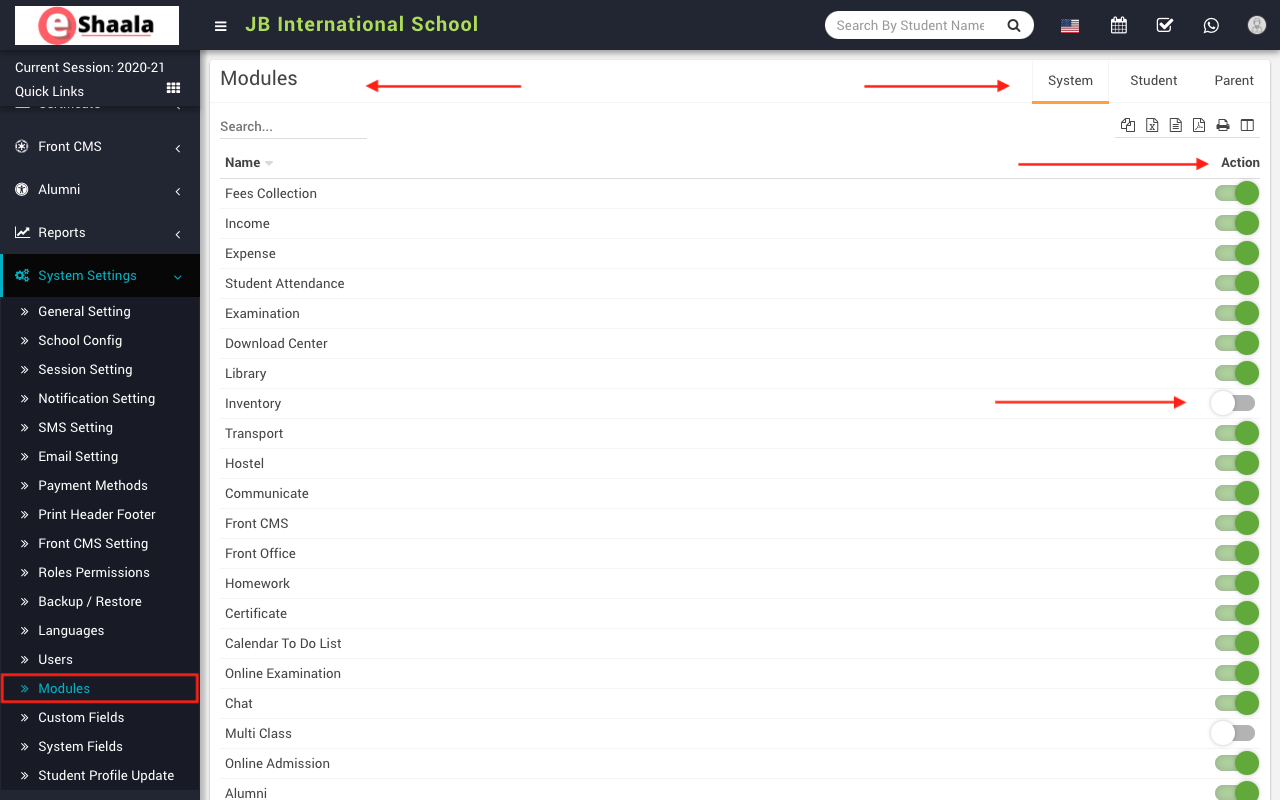
To manage modules, go to System Settings > Modules here you can see all Enabled modules. If you disable any module from here then it will not be visible in Admin/ student & parent app. To enable/disable, click on button present in the Action column.
 English
 Hindi
Hindi Marathi