
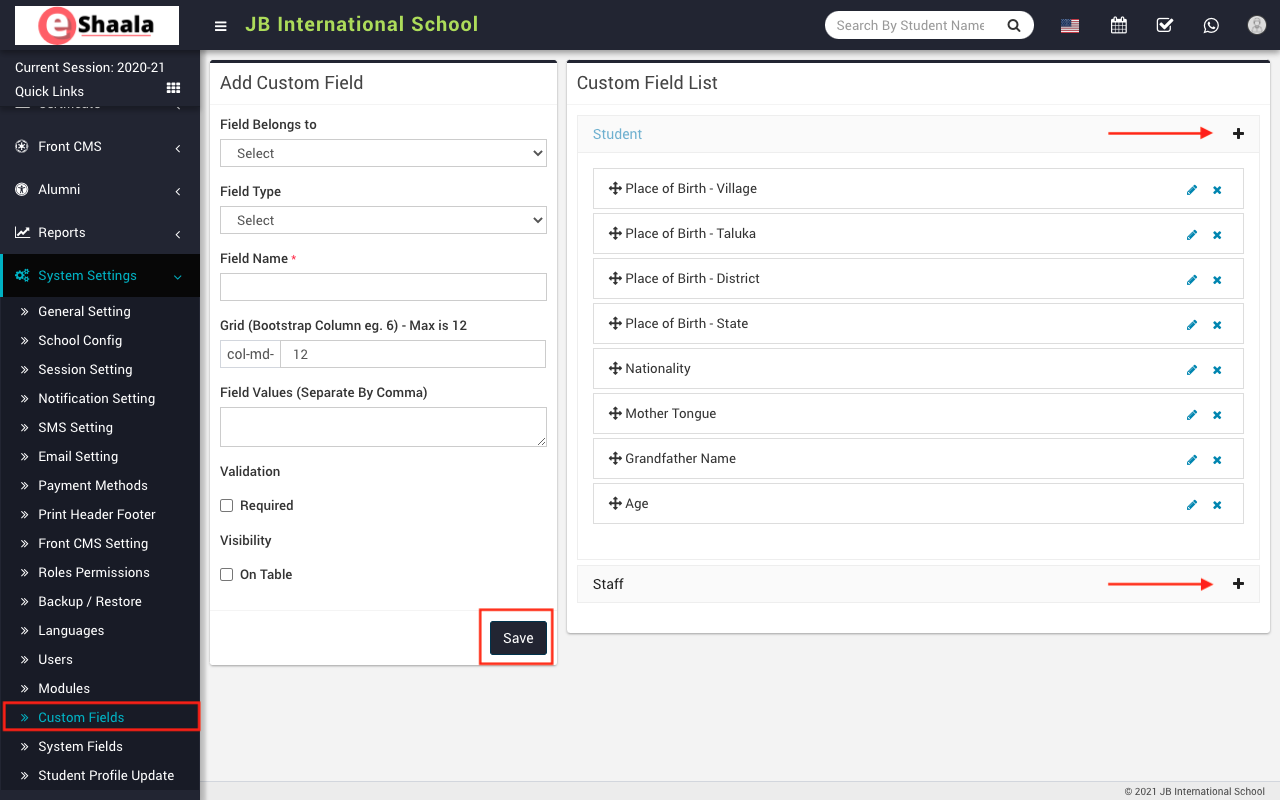
To add a custom field, go to System Setting > Custom Field then select Field Belongs To, Field Type, Field Name, Grid (Bootstrap Column e.g. 6) – Max is 12, Field Values (Separate By Comma) and check Validation, Visibility and then click on Save button. You can view this added record in the Custom Field List on the right side of the page.
NOTE: Kindly ask eShaala Team to handle this information for you. As you may disturb the functionality
 English
 Hindi
Hindi Marathi