
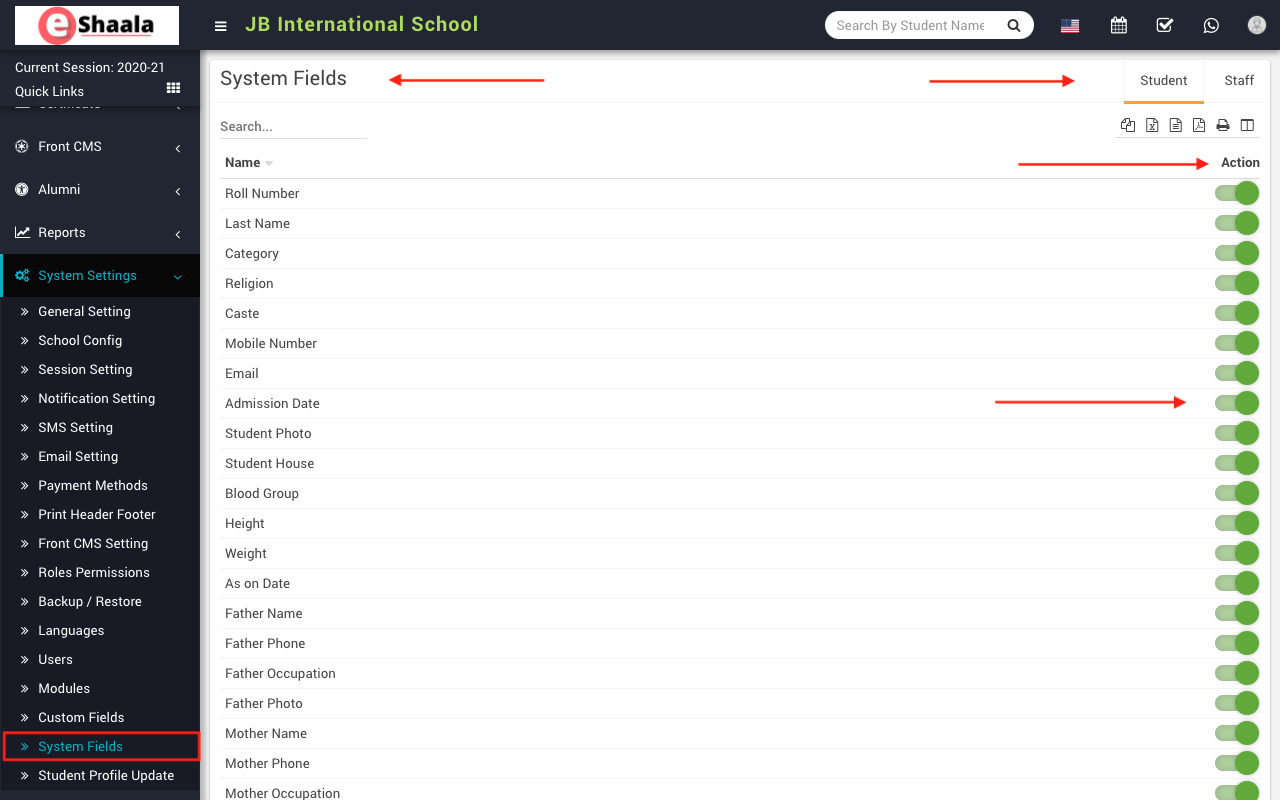
To disable system field, go to System Settings > System Field. Here you can see all enabled field. You can enable/disable any system field in student and staff.
To disable system field, click on Toggle button present in Action column, on click of this button it will ask you to confirm after your confirmation system field will be disabled and this will not be visible in the form.
 English
 Hindi
Hindi Marathi