
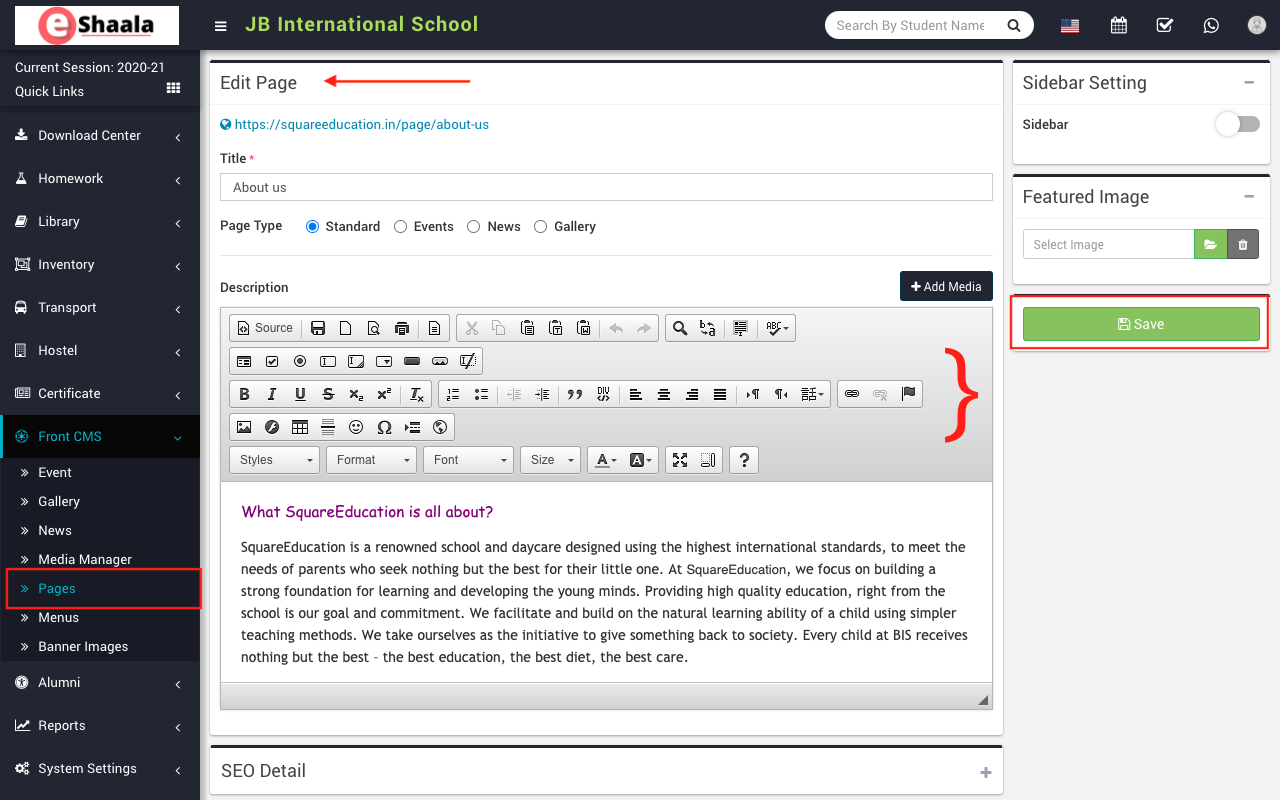
To add pages, go to Front CMS > Pages then click on Add button present at the top right corner in the page list page, then enter the page Title, select Page Type (Standard, Events (page to show all Events), News (page to show all News/Notices) and Gallery (page to show all images/video Galleries)) and Description, Add Media, SEO Detail click on Add (+) icon enter details here Meta Title, Meta Keyword, Meta Description and then select Sidebar Setting to show and hide the sidebar and select Featured Image and then click on Save button.
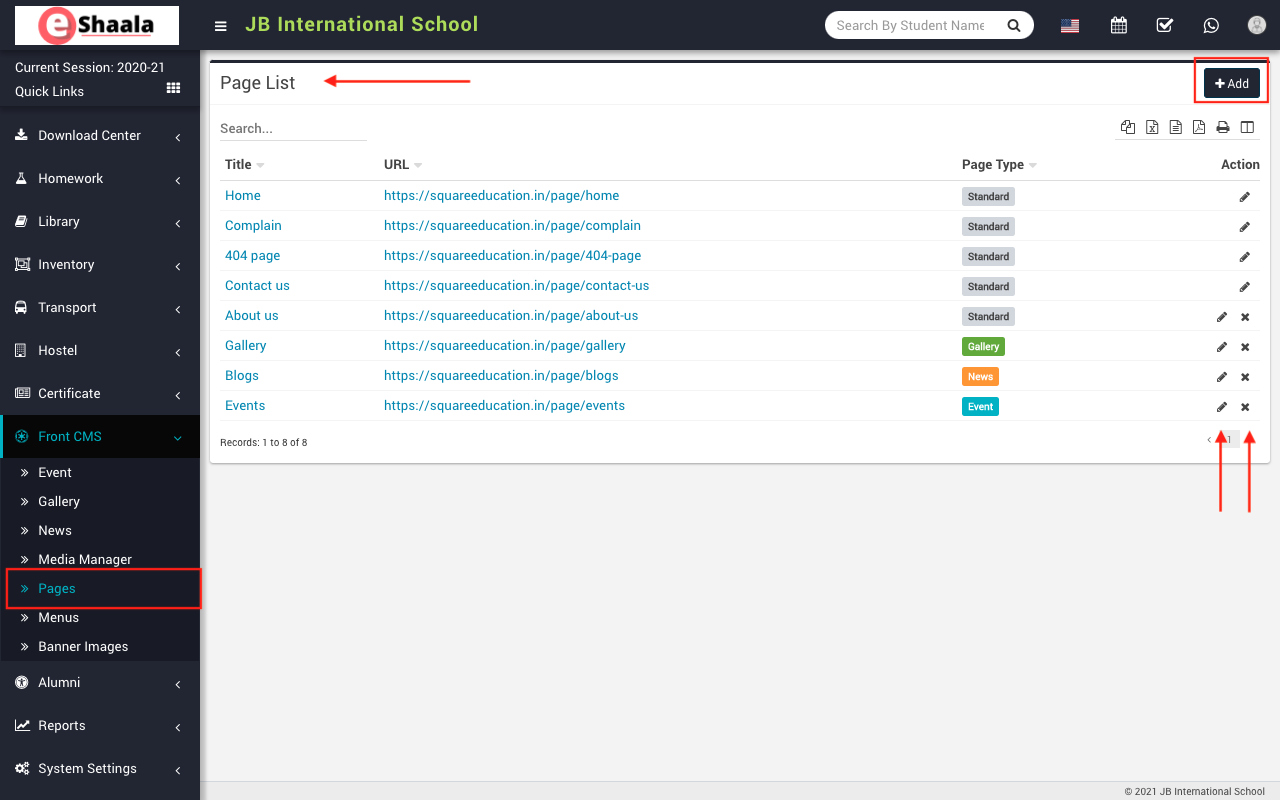
You can view this added record in the Page List page (Here you can see four by default page Home, Complain, Contact and 404 page).
To edit page click on Edit icon and to delete page click on Delete icon present in the page list.
 English
 Hindi
Hindi Marathi