
NOTE: Before adding income, you should do the following configuration:
– add income heads
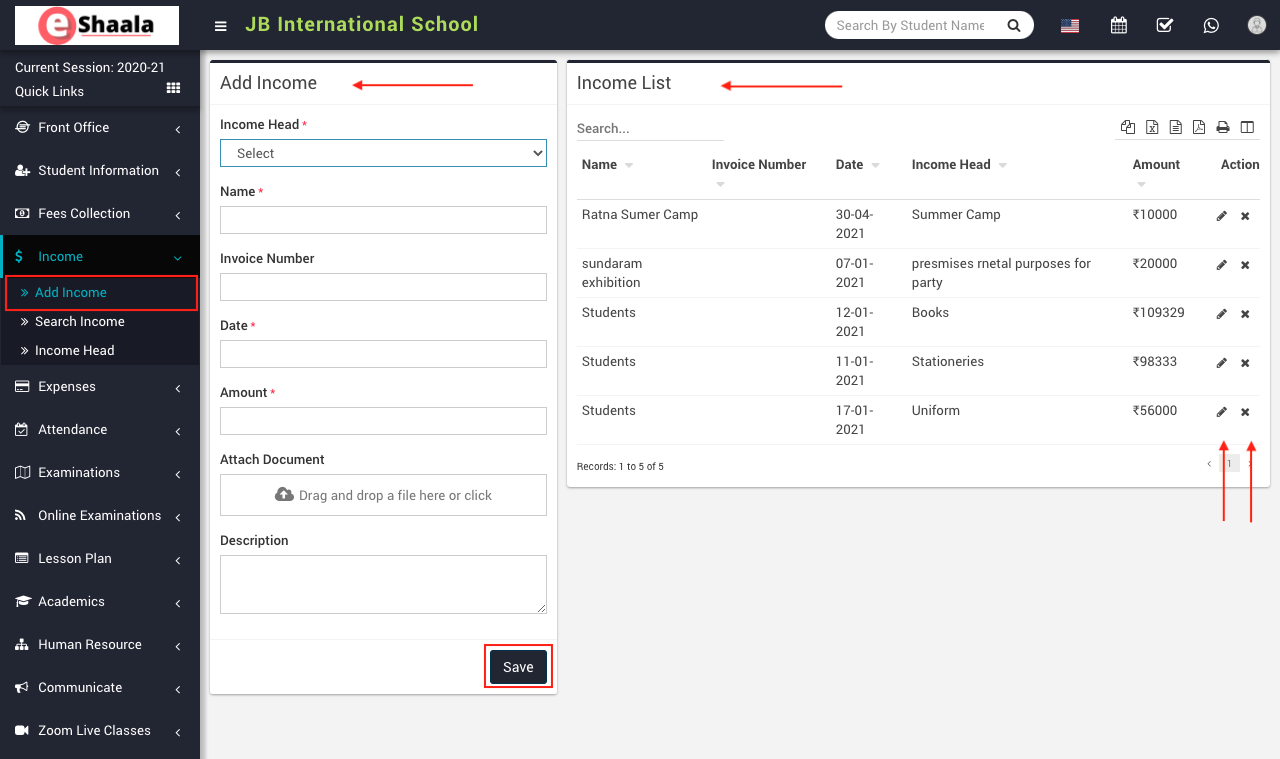
To add income go to Income > Add Income, here select Income Head and enter Name, Invoice Number, Date, Amount, Attach Document, Description and then click on the Save button. The saved record will appear on the right side of the Income list.
To edit income click on the Edit icon present in the income list and to delete income click on the Delete icon present in the income list.
 English
 Hindi
Hindi Marathi