
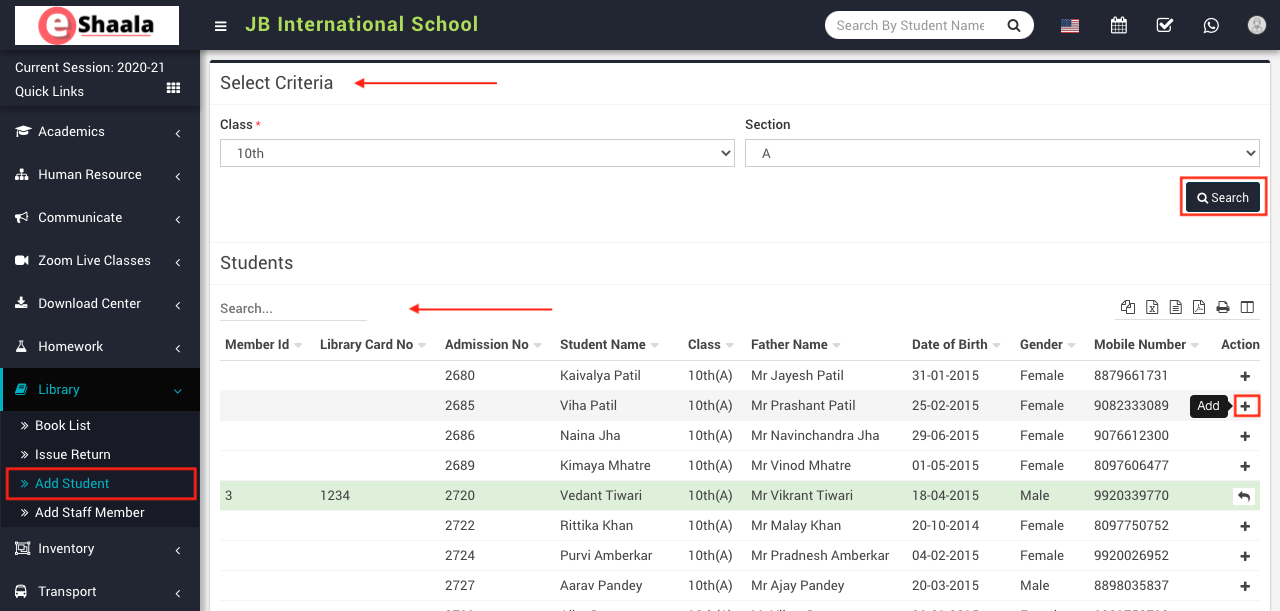
To add student as Library Member, go to Library > Add student then select the Class and Section and then click on the Search button to display student list. Now click on + icon from student’s list, on click of this icon a modal will open, here enter Library Card Number and then click on the Add button.
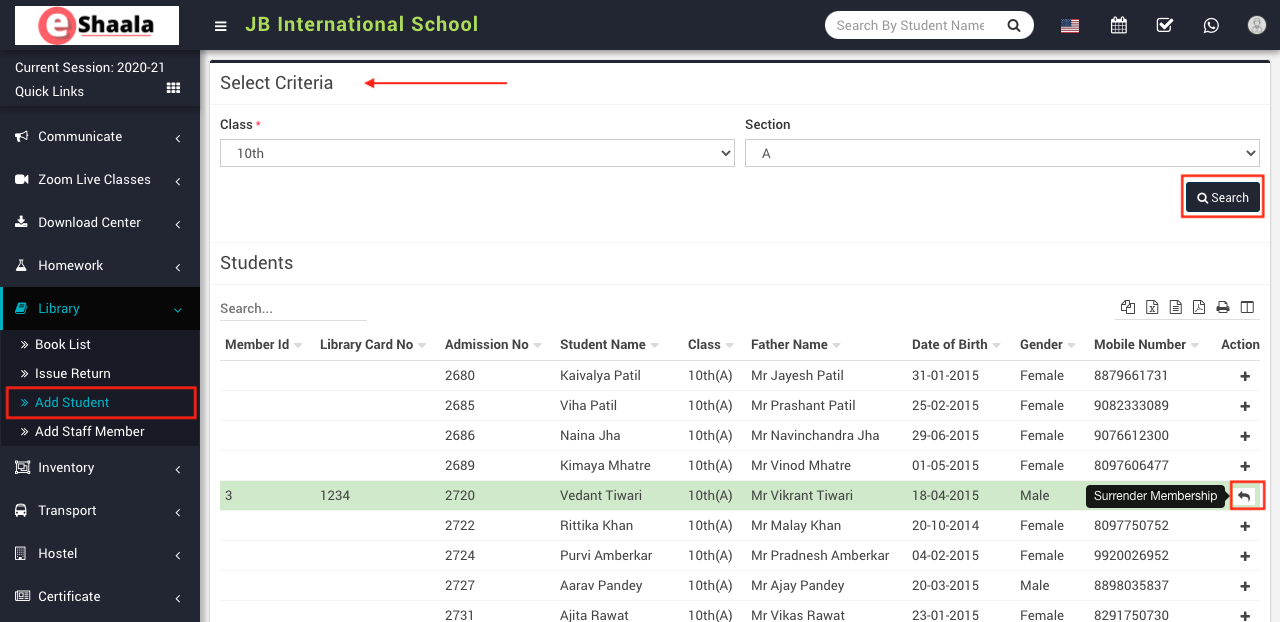
The added student will be shown in a green colour row on the student list. To remove student’s membership click on the Surrender button present in the Action column.
 English
 Hindi
Hindi Marathi