
You can create Events for Alumni and send an event notification to Alumni.
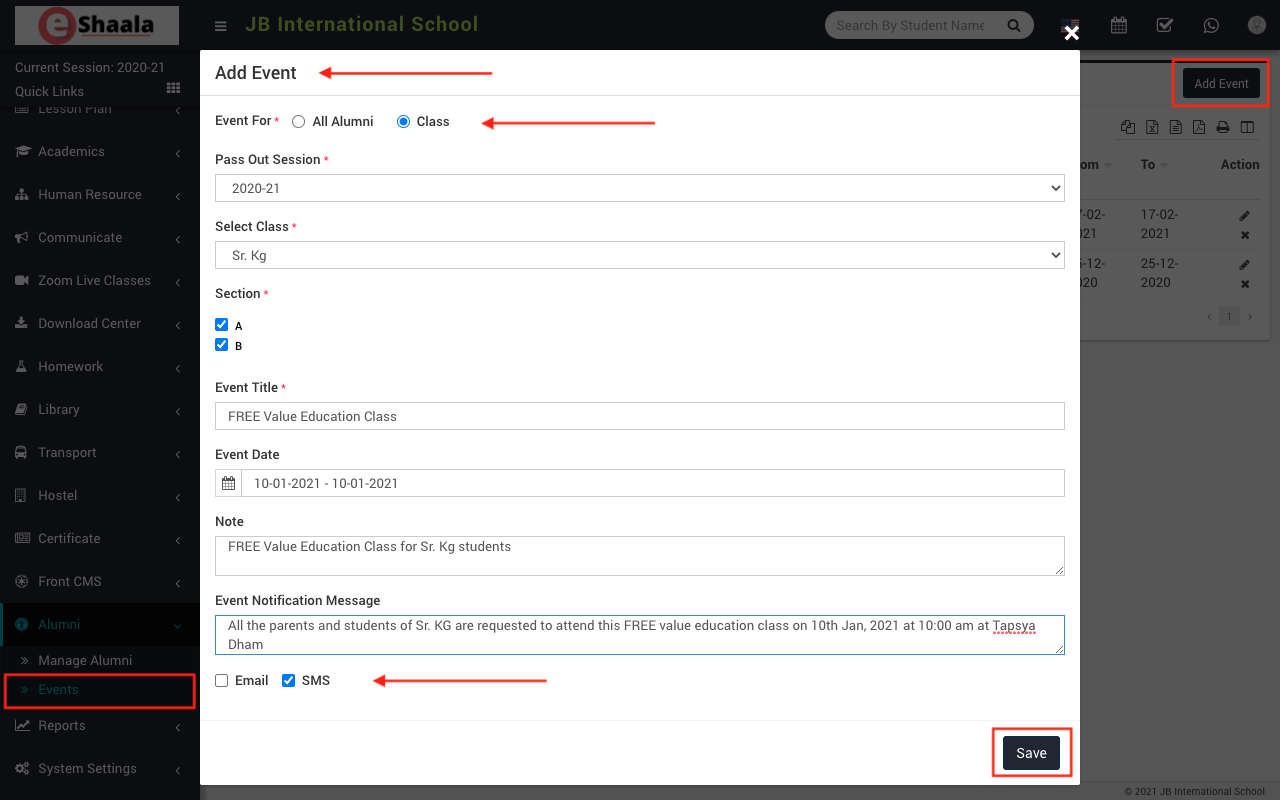
Go to Alumni > Events, here click on Add Events button to open Add Event window
Here select event for All Alumni or select for Class – Section then enter Event Title, Event Date (Start-End), Note, if you want to send a notification to Alumni then also enter Event Notification Message then check on SMS option and click on Save button.
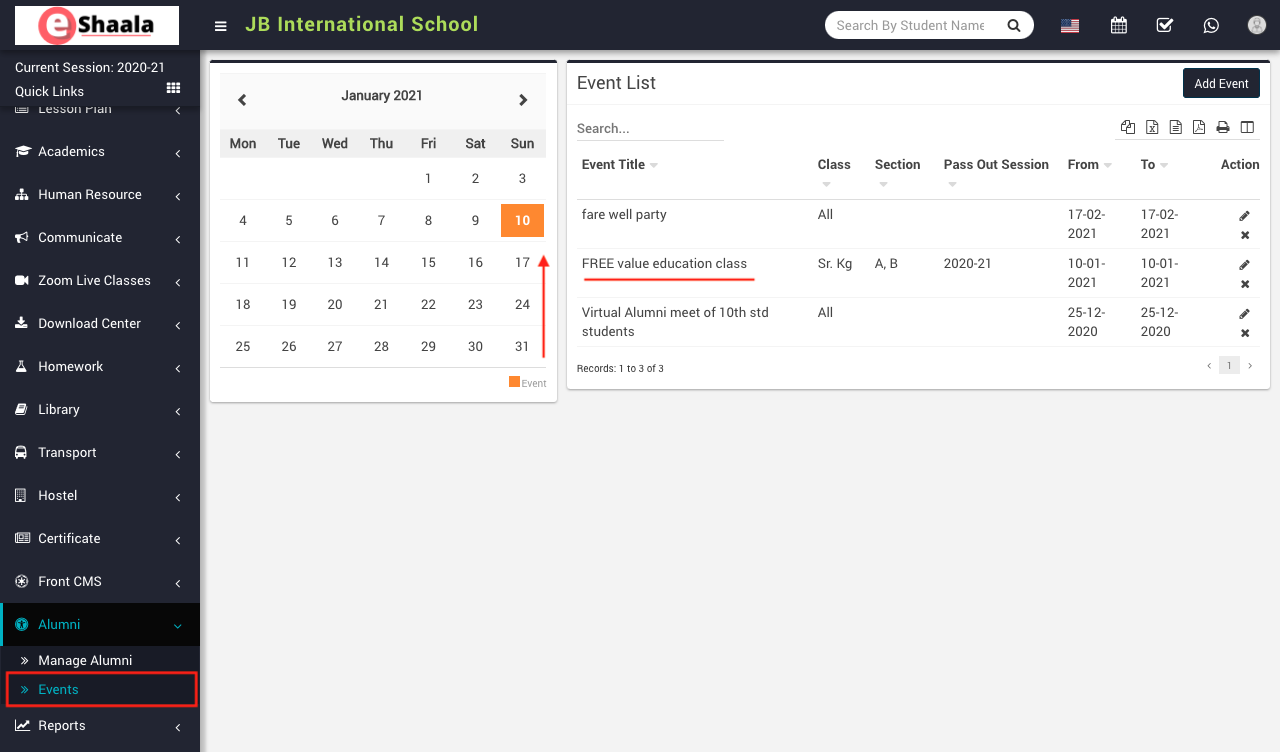
Added events can also be a check on Calendar present at this page.
 English
 Hindi
Hindi Marathi