
To add print header footer, go to System Settings > Print Header Footer then click on Fees Receipt (for students) present at top right corner in the print header footer page. Here you can replace your header image select Header Image and enter Footer Content and then click on Save button.
To remove the header image click on Remove button present in header image in the right corner of the page.
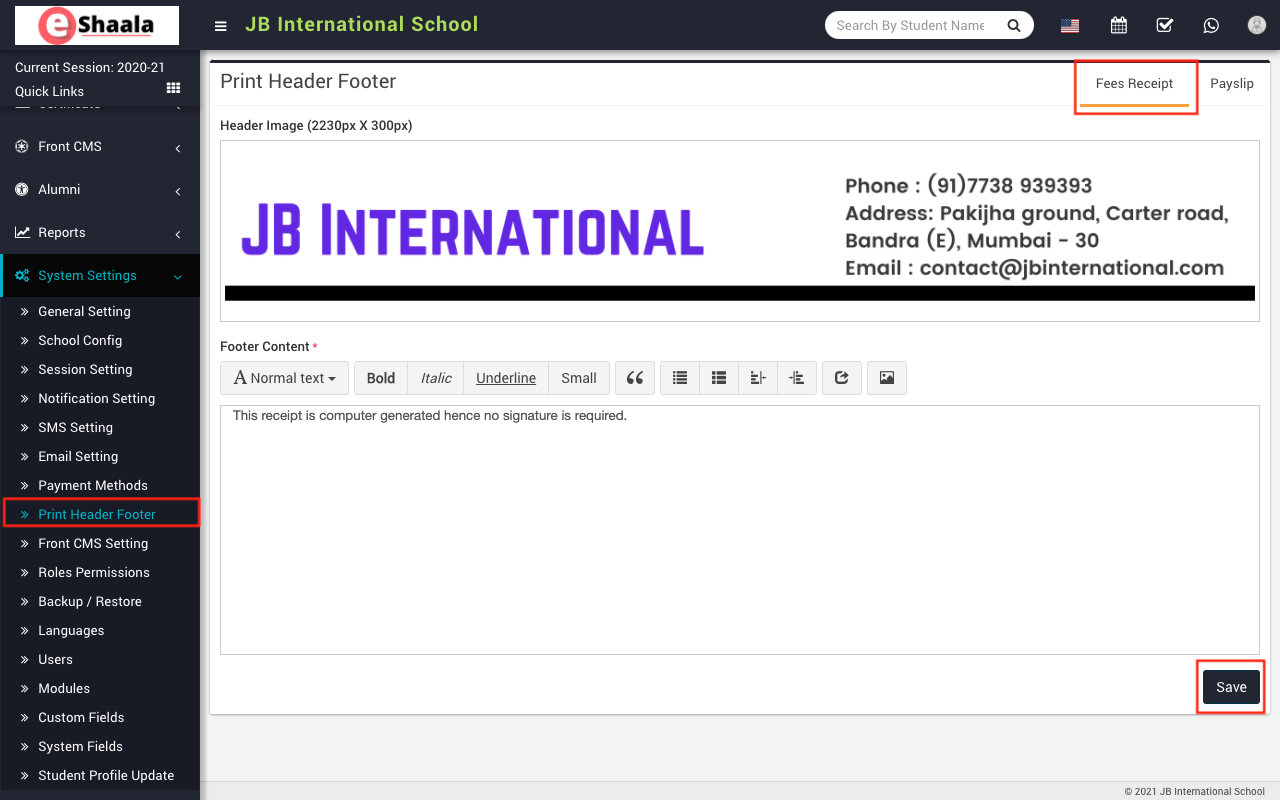
To add print header footer payslip (for staff) click on Payslip present at top right corner in the print header footer page. Here you can replace your header image select Header Image and enter Footer Content and then click on Save button.
 English
 Hindi
Hindi Marathi