
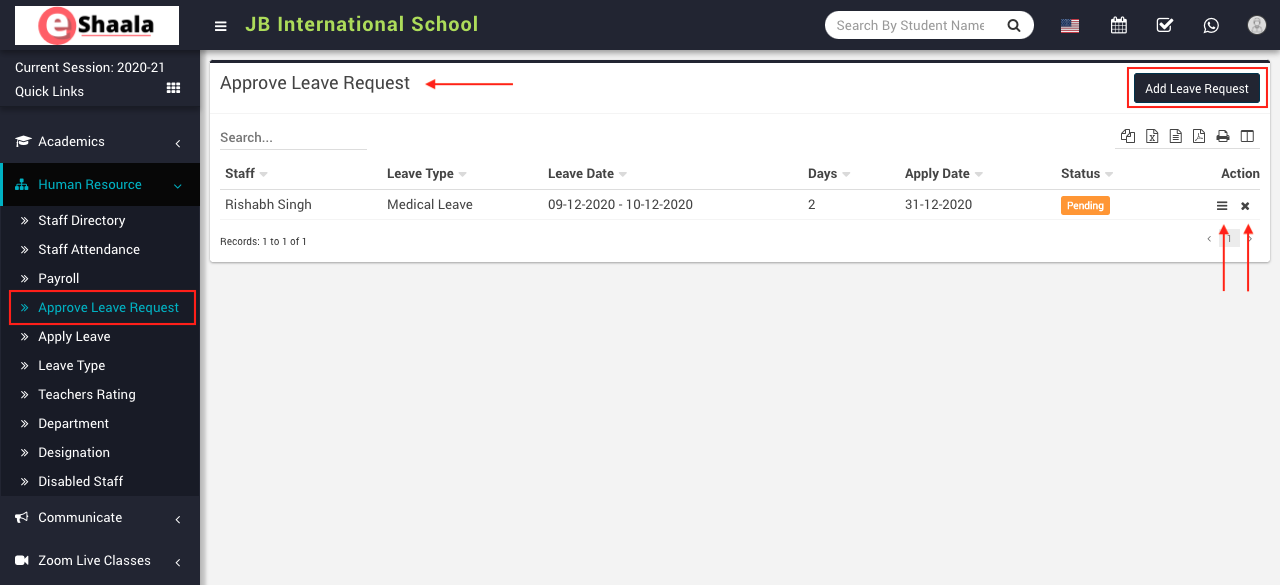
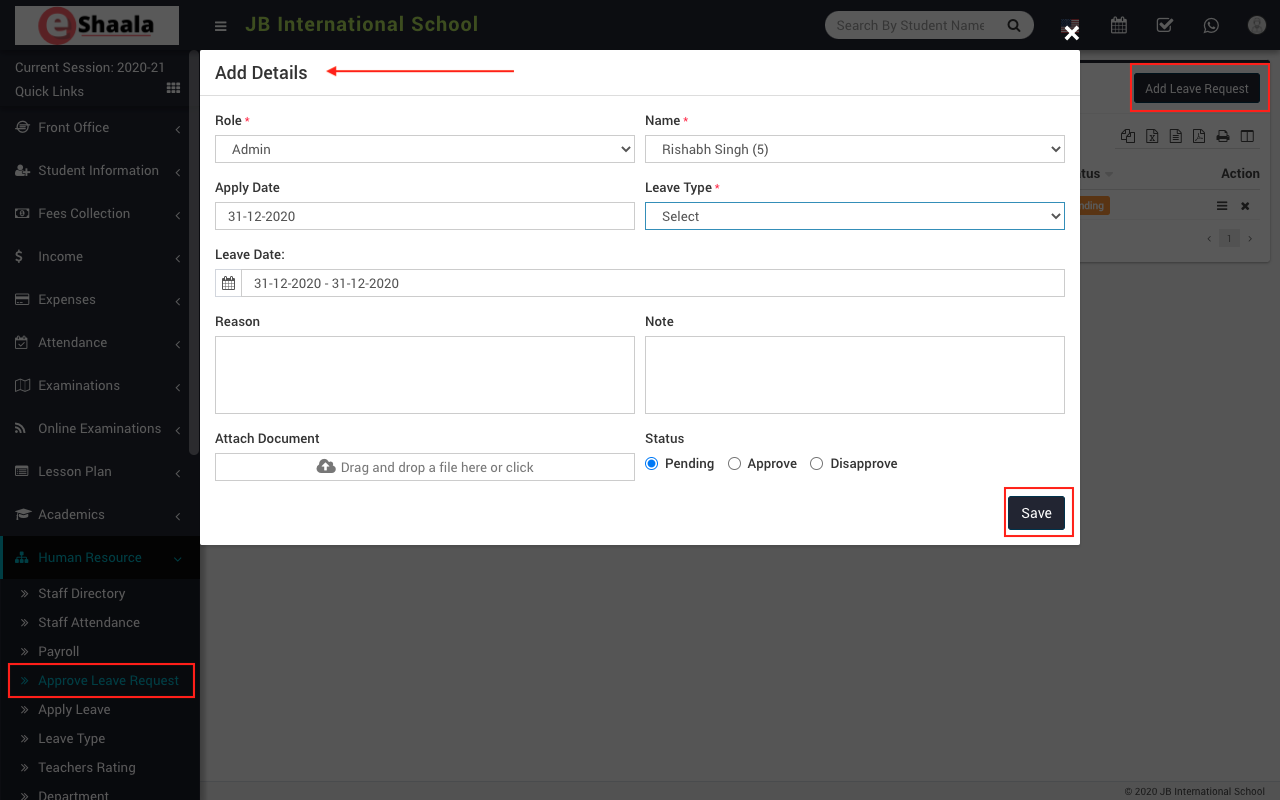
To add leave request, go to Human Resource > Approve Leave Request then click on Add Leave Request button present at top right corner in the approve leave request page, on click of this button Add Details modal will be open.
 Here select Role, Name, Apply Date, Leave Type, Leave Date, Reason, Note, Attach Document and Status and then click on Save button
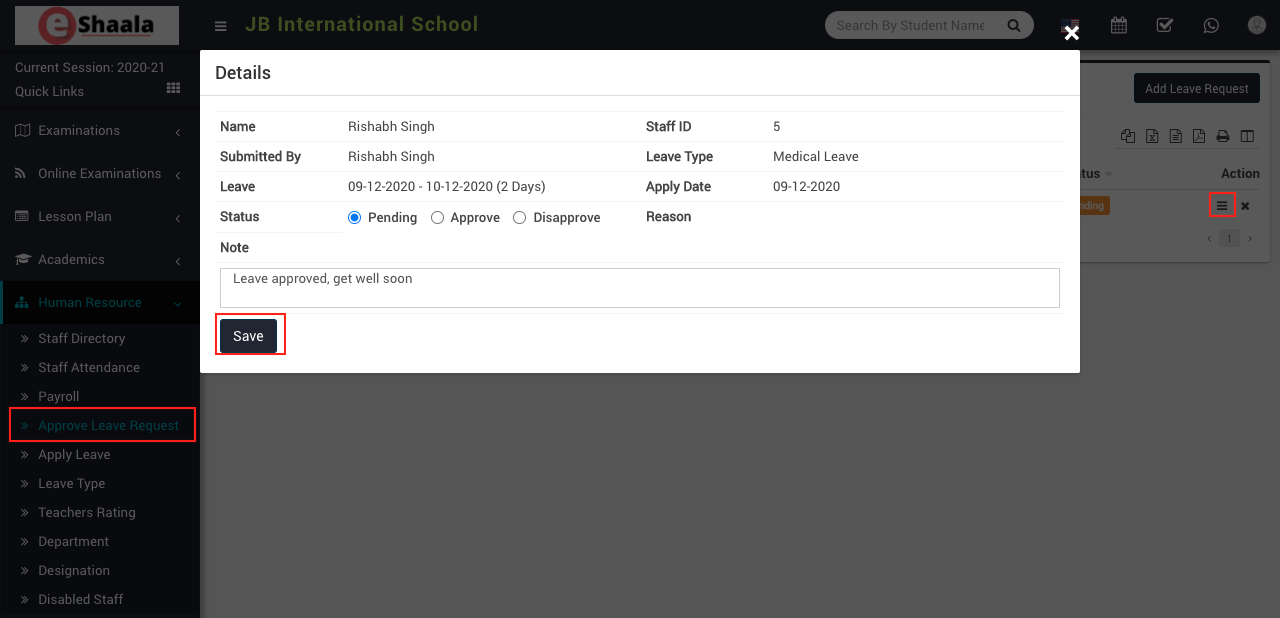
To view approve leave request click on View icon present at Action column in the approve list page, on click of this icon Details modal will be open.
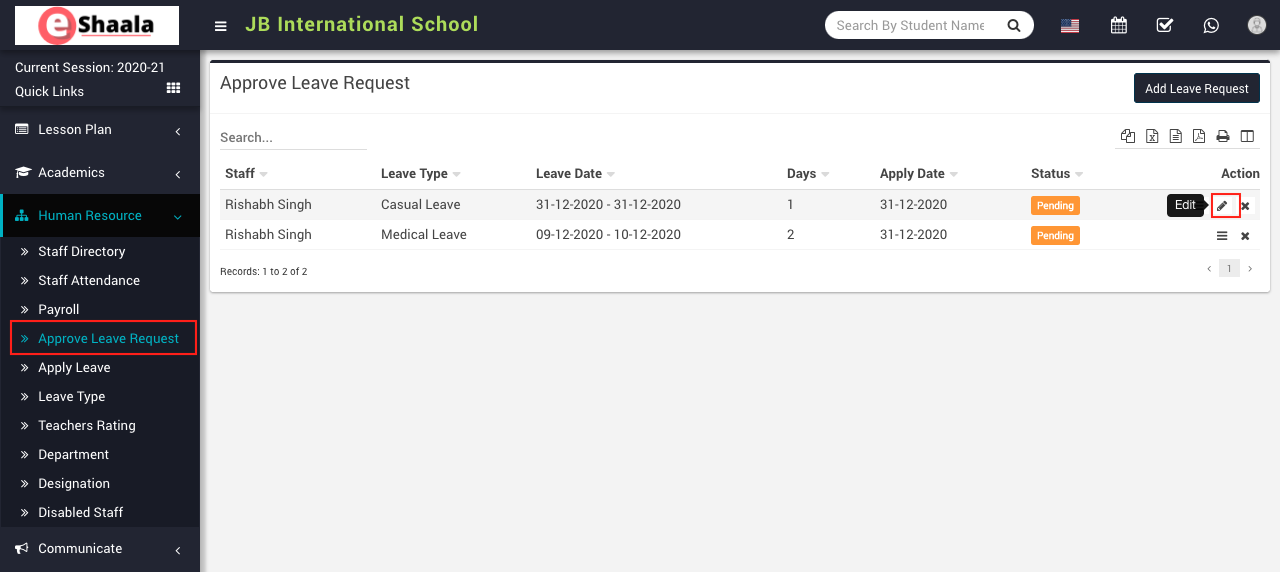
To edit approve leave request click on Edit icon and to delete approve leave request click on Delete icon present in the approve leave request page.
 English
 Hindi
Hindi Marathi