
To add design admit card, go to Examination > Design Admit Card then enter the Template, Heading, Title, Exam Name, School Name and Exam Centre, Footer Text and select the Left Logo file, Right Logo file, Sign file and Background image and then Enable/Disable Fields on admit card and then click on Save button.
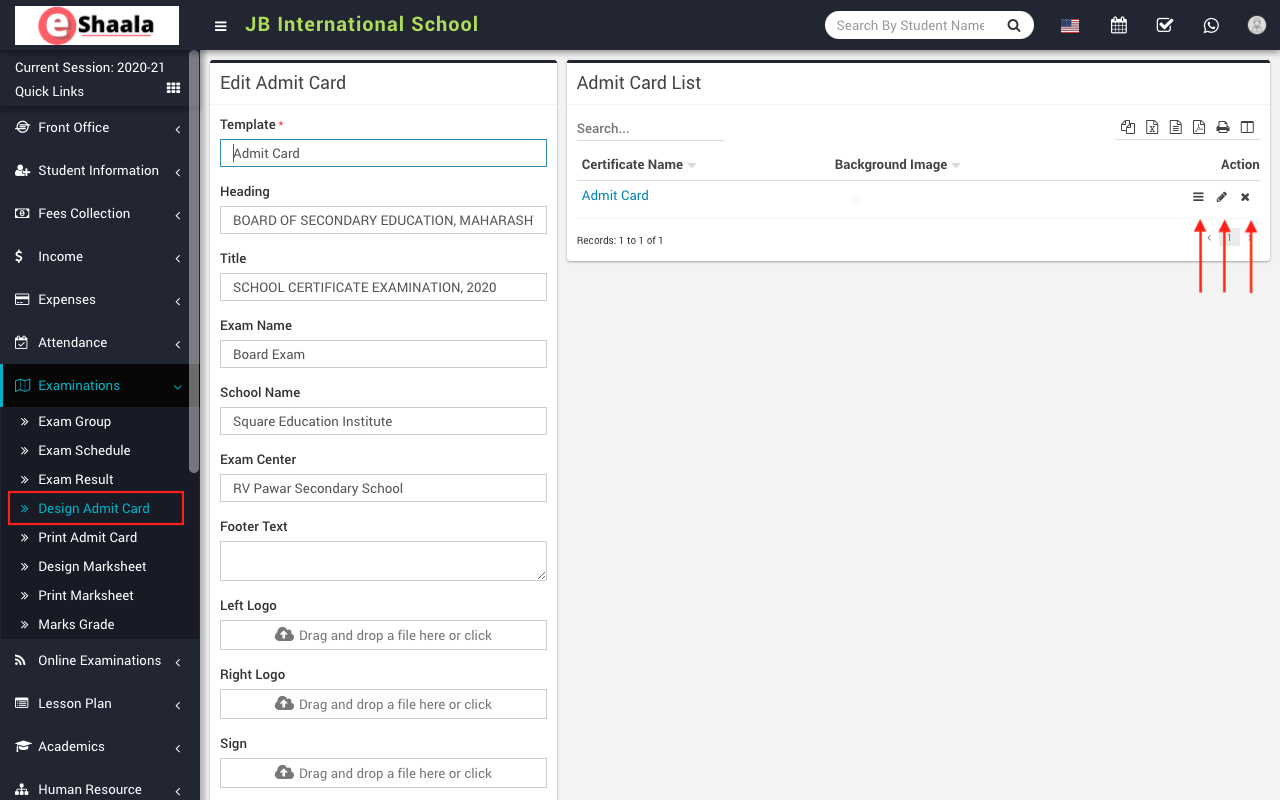
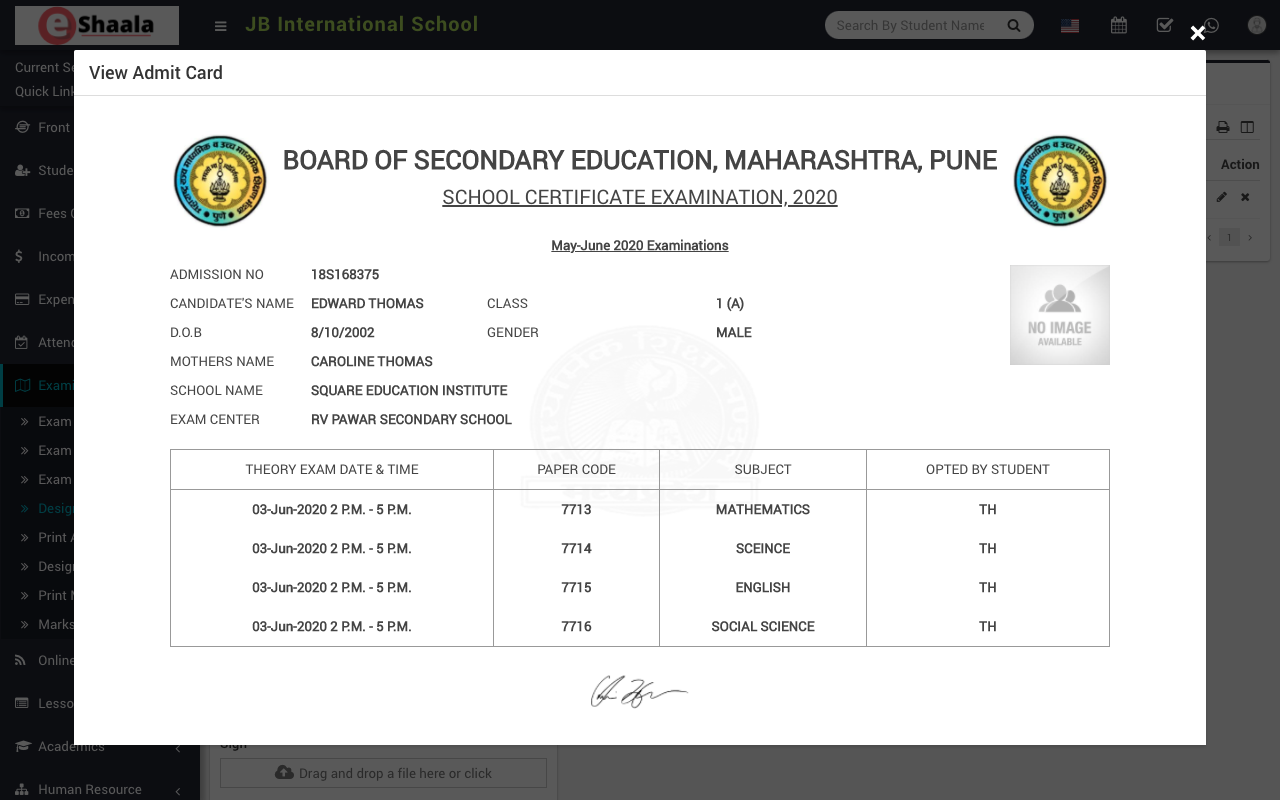
To view admit card click on the View icon present at Action column in the admit card list, on click of this icon Admit Card modal will be open.
 English
 Hindi
Hindi Marathi