
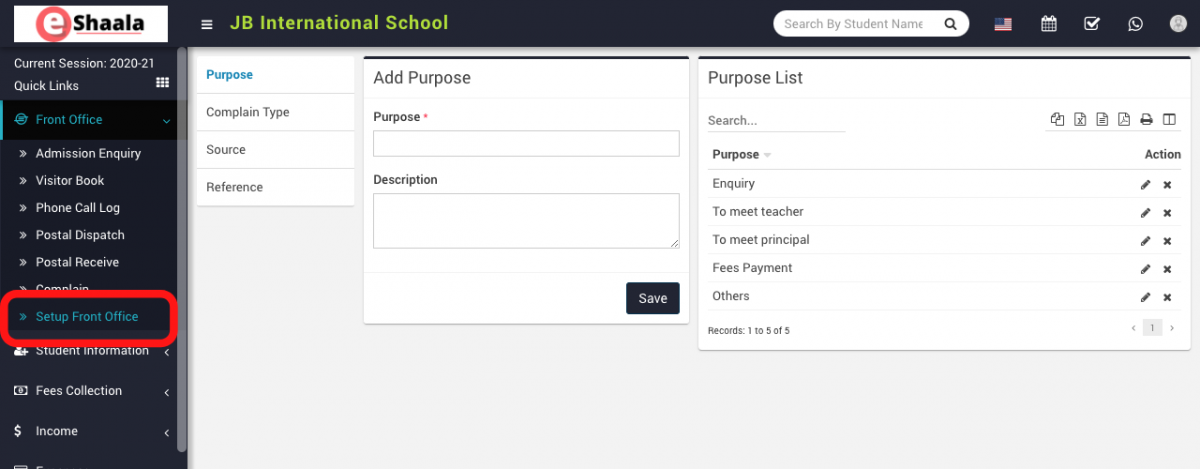
To set up the front office, go to Front Office > Setup Front Office.
You’ll need to add Purpose, Complaint Type, Source and Reference data which will be used by different sections of the front office.
Here, enter Purpose and Description and then click on the Save button. You can view the added records in the Purpose List on the right side of the page.
Follow the same procedure for making entries in the Complaint Type, Source and Reference.
To edit purpose, click on the Edit icon and to delete purpose, click on the Delete icon present in the extreme right corner of the purpose list.
 English
 Hindi
Hindi Marathi