
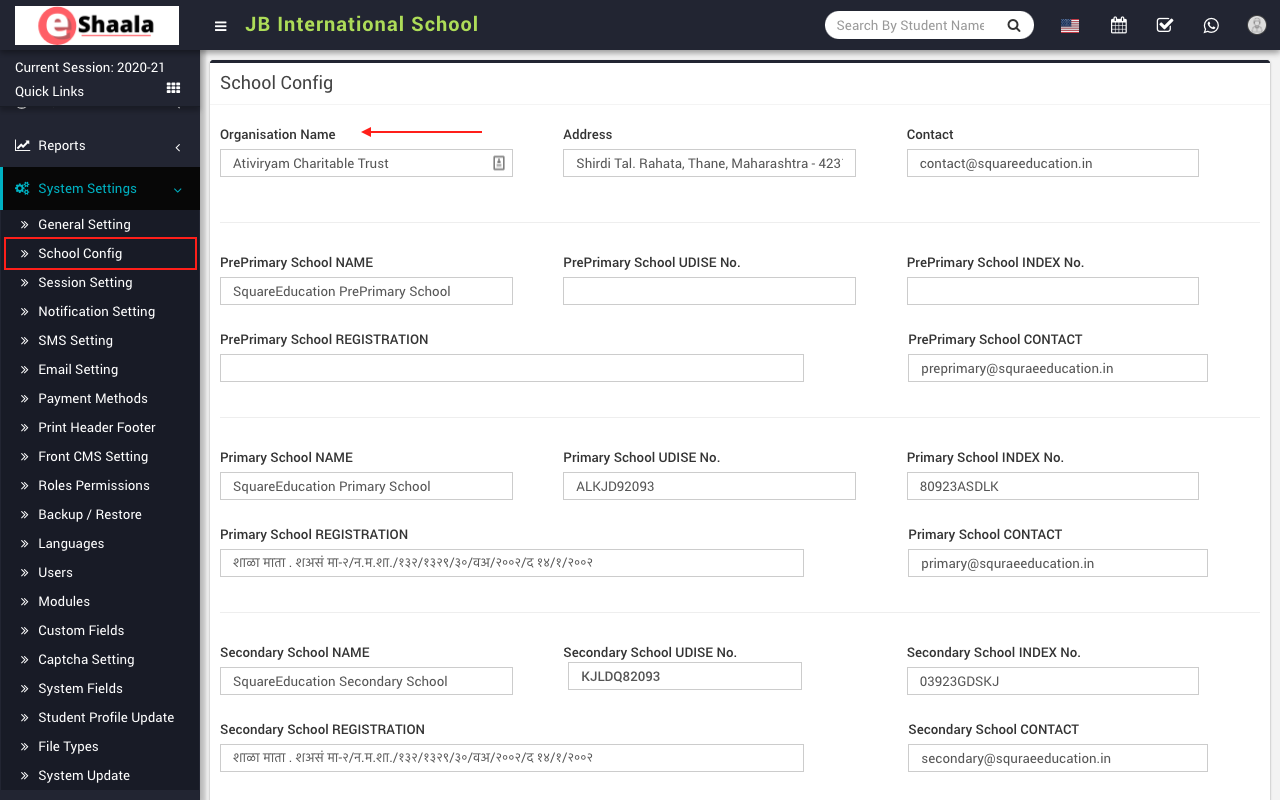
To set up school config, go to System setting > School config. Here you will enter your Organisation / Trust name, address and contact number. Then you enter your school details like Name, UDISE No., Index No., Registration No. & Contact respectively
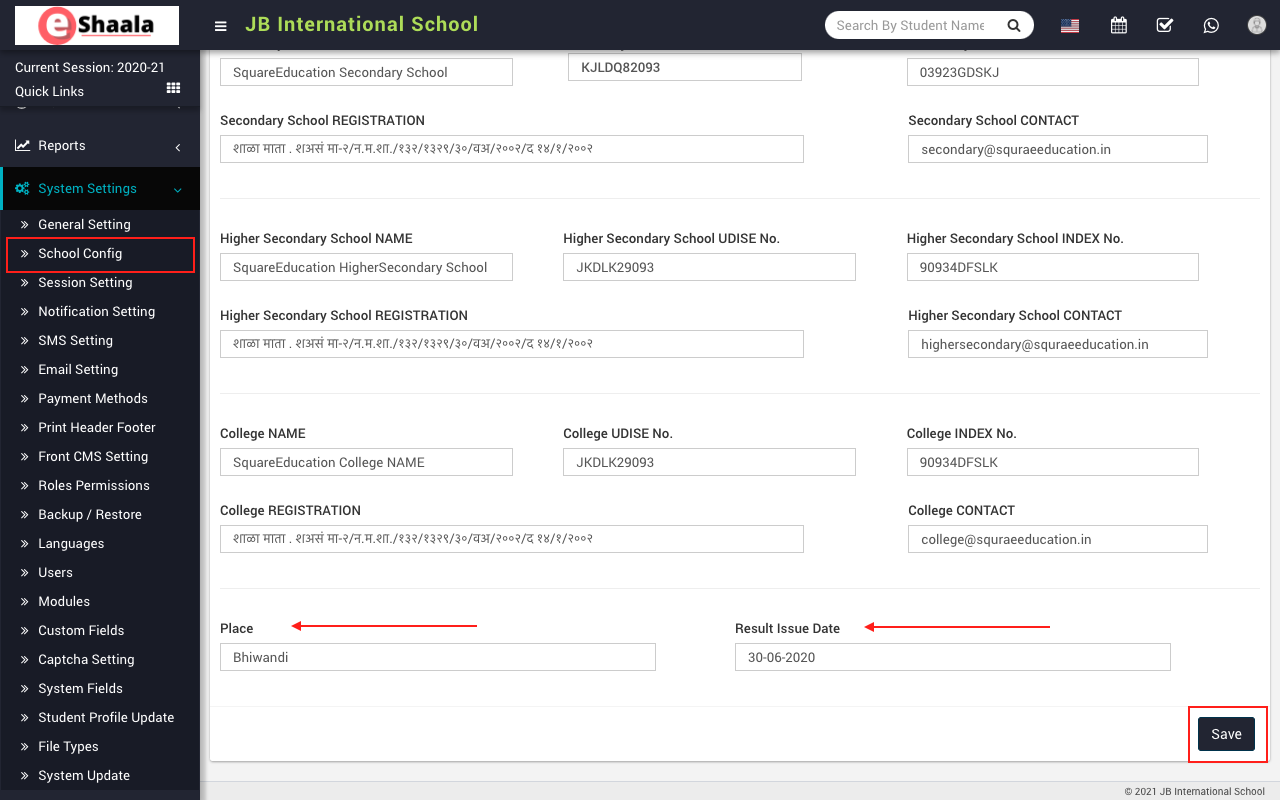
At the bottom of the page, enter the place and change the result issue date. The result issue date is the date on which you give the result to the student and that date will be used as the LC issue date too. And then click on the Save button
 English
 Hindi
Hindi Marathi